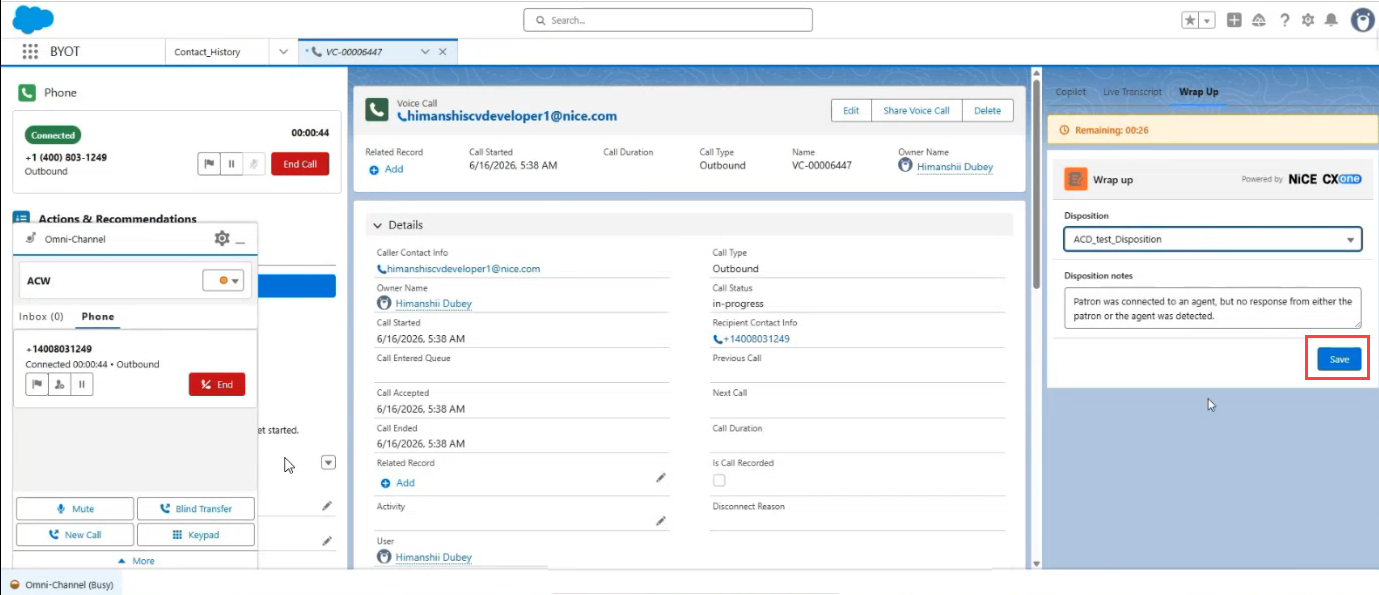
After you end a voice interaction, your status changes to After Call Work (ACW). During this time, a countdown timer appears in the Wrap Up tab of the companion app, showing you how much time remains before you're automatically set to Available.
This helps you manage post-interaction tasks — such as entering disposition notes or updating records — within the allotted ACW time period.
How the ACW Countdown Timer Works
When an active call ends and your presence status changes to ACW, the system displays a real-time countdown timer in the Wrap Up tab of the Lightning Web Component (LWC) companion app.
 View image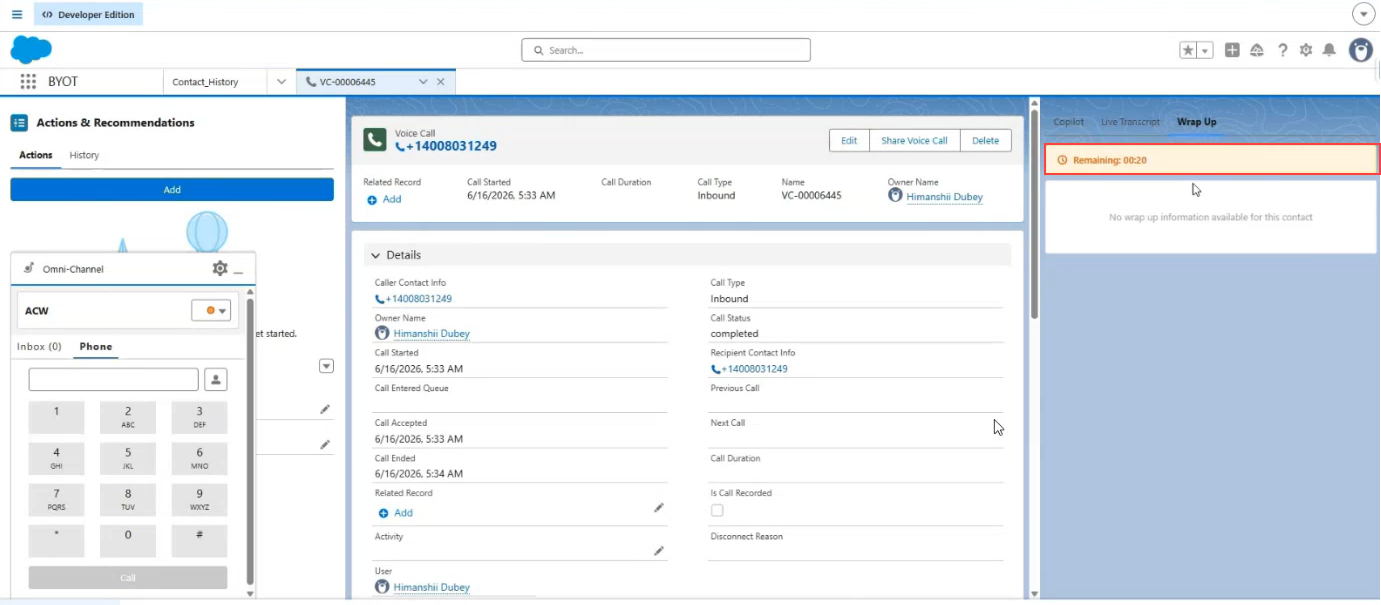
The timer is removed when either of these occurs:
-
The countdown reaches zero. Your status automatically changes to Available.
-
You manually change your status to Available before the timer expires.
ACW Timer with Dispositions
If dispositions are configured for the skill, the Wrap Up tab displays both the countdown timer and the disposition fields during the ACW period.
You can complete these tasks while the timer is running:
-
Select a disposition from the drop-down.
-
Enter disposition notes in the text field.
-
Click Save.