

This page illustrates the variety of ways you can solve call quality issues with Voice Quality Metrics and Voice Diagnostics.
Post-Incident Troubleshooting
Situation:
A contact reports poor audio quality during a support call. The call has already ended, and the supervisor needs to determine what caused the issue.
Action:
The supervisor uses Voice Quality Metrics to review the voice quality data stored for the contact ID associated with the call. The metrics show:
-
Jitter: 45 ms (higher than normal)
-
Latency: 320 ms
-
Packet Loss: 3%
By comparing these values across recent calls, the supervisor notices a pattern: multiple calls handled by the same agent show similar network-related issues.
Outcome:
The team determines the problem originated on the agent’s side due to an unstable Wi-Fi connection. The agent is advised to switch to a wired connection for better call quality. This proactive step prevents future complaints and improves overall customer experience.
Root Cause Analysis
Situation:
A call between a US-based agent and a contact in Canada is flagged for poor audio quality. The issue needs to be resolved quickly because the customer is a high-value account.
Action:
The support team opens Voice Diagnostics to analyze the call legs and RTP streams. The tool reveals:
-
The customer’s call leg
 The portion of an interaction that takes place between NiCE CXone and the agent. shows stable metrics.
 -
The agent’s call leg indicates intermittent packet loss and high jitter.
-
Further tracing identifies the problem on a specific network segment between the agent’s internet service provider and your media server.
Outcome:
The support team escalates the issue to the network operations group, who reroute traffic through a different path. The agent’s subsequent calls show normal quality. By pinpointing the exact network segment, the team avoids unnecessary troubleshooting of devices and prevents repeat incidents.
Identifying Hardware Issues
Situation:
A remote agent reports persistent poor audio quality during calls. The calls are flagged for low quality, and their manager needs to ensure compliance with your hardware and connectivity policies.
Action:
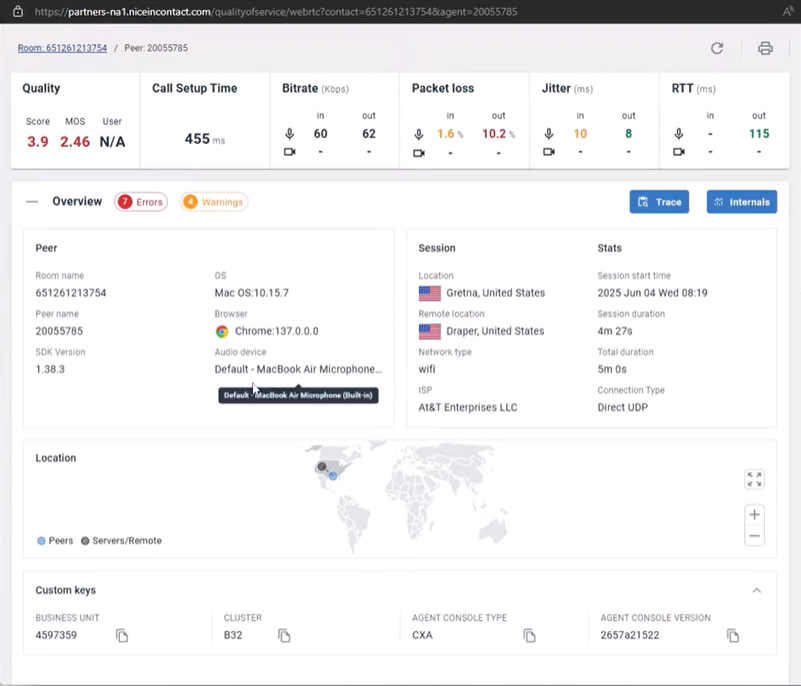
Using Voice Diagnostics, the manager reviews detailed call-level data and discovers:
-
The agent’s network connection is stable.
-
CPU utilization on the agent’s laptop spikes during calls.
-
The headset in use is not an approved model and lacks proper noise cancellation.
The manager confirms that the issue is hardware-related rather than network-related.
Outcome:
The agent is instructed to switch to an approved headset and close unnecessary applications to reduce CPU load. Subsequent calls show normal audio quality. By identifying the exact hardware issue, the team avoids unnecessary network troubleshooting and ensures compliance with company standards.