

This page shows the products and features currently planned for the 26.3 release cycle. This release cycle was originally planned to begin on 3 August 2026 and end on 25 October 2026. However, due to a change moratorium, these dates have changed. The release cycle will now begin on 2 September 2026 and end on 5 November 2026.
Features are subject to change between now and the end of the release cycle. You may receive these features at different times throughout the release cycle. Remember that you may be required to purchase a license or sign up for a public preview program to access some of them.
View the 26.3 webinar recording  and presentation slides. These cover the features in more detail.
 How to Use This Page
All new products and features are shown by default. If you want to see only products and features in your NiCE CXone system, you can clear the checkboxes to remove features you don't need from your display.
Each feature description includes a table that states whether the following details apply to it.  means that the detail applies to the feature and
  means that the detail does not apply to the feature.
| Customer Request | The feature was developed by customer request. |
| UI Change | The feature introduces changes to the user interface (UI). |
| Breaking Change | For API features only. If your integration uses the specified API, you must update your integration to avoid disruptions. |
| Impacted Versions | For API features only. The versions of the API that were changed. |
| Web or Desktop Studio | For Studio features only. Whether the feature is supported in web Studio, desktop Studio, or both. |
| Availability |
This cell tells you two things about the feature:
|
Learn about the platform requirements and FedRAMP support status for the NiCE CXone apps you use.
Global Changes
Controlled Release Program Name Change
Starting with the 26.3 release, the NiCE CXone Controlled Release program is now known as Public Preview. This change has been reflected in the online help, release notes, and in other communications from NiCE CXone.
| Customer Request |
|
UI Change |
|
Availability | N/A |
Automated Access Key Security
Managing access keys becomes easier and safer with new automatic controls. Admins can set rules to lock keys that are not being used, which helps reduce security risks without needing manual work. The system also shows which keys should be updated based on how old they are, helping you follow best practices. Keys are not deleted automatically, and admins can still unlock or manage them anytime. These new settings are available in this release to help keep your system secure and up to date.
The Access Key Settings button is available only for roles with the Security Policy View and Configure permissions.
| Customer Request |
|
UI Change |
|
Availability | GA
On toggle |
Secure Password Updates
In this release, password updates are made more secure in User Hub. The Change Password option is removed from the My Profile page, and users update passwords only through the Forgot Password option on the login page. Users receive an email with the password reset link, helping protect their accounts from security risks.
| Customer Request |
|
UI Change |
|
Availability | GA
On toggle |
Enhanced Token Security
NiCE CXone security is improved by adding session IDs (sid) and token IDs (jti) to all login tokens to help you track user sessions from start to finish. These IDs make it easier to see exactly how and when a session is used, helping with security audits. A safety feature is also added that automatically stops access if a security key is disabled. These changes improve your security monitoring without changing how you log in today.
| Customer Request |
|
UI Change |
|
Availability | GA
On toggle |
Accessibility improvements
The Admin application includes significant accessibility improvements designed to offer a smoother, more inclusive experience for users across a wide range of visual, motor, and cognitive needs.
| Customer Request |
|
UI Change |
|
Availability | GA
On deploy |
What's New in the Online Help
File Path Changes
The following sections or pages have experienced a URL change. If you have links or bookmarks to these areas, you will need to update them.
-
Outbound Engagement (SmartReach) (renamed from SmartReach)
-
Set Up an Outbound Engagement (SmartReach) Outbound Voice Channel (renamed from SmartReach)
- Custom Vocabulary
Removed Applications and Features
Knowledge Hub documentation is now available in Expert Help Center
Knowledge Hub documentation has been moved from the NiCE CXone Help Center to the Expert Help Center. Use the Expert Help Center to access the latest Knowledge Hub documentation.
| Customer Request |
|
UI Change |
|
Availability | GA
On deploy |
Accessibility
Accessibility Improvements
Many apps in NiCE CXone now includes significant accessibility improvements designed to offer a smoother, more inclusive experience for users across a wide range of visual, motor, and cognitive needs. For more information, see Accessibility Overview.
ACD
Unified Quick Responses Generally Available
Previously, unified quick responses were in public preview. With this release, they are now general availability (GA).
You can find the new unified quick responses by going to ACD > ACD Settings > Quick Responses.
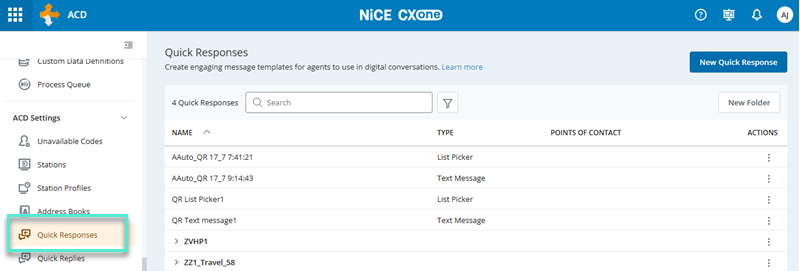
With quick responses, you can configure short messages that agents Contact center employee who interacts directly with customers through inbound or outbound communication channels (voice, digital, or omnichannel). send to contacts The person interacting with an agent, IVR, or bot in your contact center. while working in the agent application. Previously, these messages were set up in different areas of ACD, depending on the type of message needed. This made the configuration process confusing and inefficient. In this release, we are delivering a new, unified Quick Response. This allows you to create and manage all of these messages in one place.
To control quick response visibility for agents in the agent application, you can assign it to one or more ACD skills. A quick response associated to a skill is visible only to agents working within that skill. A quick response with no skill associated is visible to all agents, regardless of skill. Legacy quick responses and rich messages used tags for this purpose; skill association replaces that model and lets you scope visibility only where you need it.
Using quick responses requires permissions at the agent and administrator levels. Agent permissions allow them to use quick responses and add them to a favorites list. Administrator permissions allow them to view, create, and edit quick responses in the ACD application.
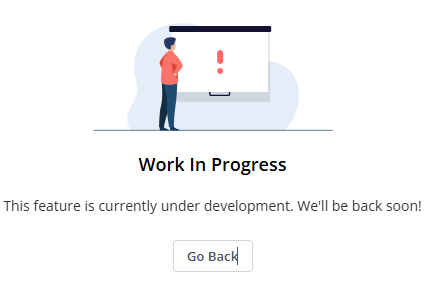
Digital quick responses and rich messages will be automatically migrated. The migration process will take place during the 26.3 release cycle, but the timing may not align with when the 26.3 release deploys to your cluster. This means you could see the Quick Responses page in ACD before your digital quick responses and rich messages are migrated. If this happens, the following image shows what the page will look like.
 Customers who have been using unified quick responses in public preview will notice these additional features in the 26.3 release:
-
A real-time preview of quick responses.
-
Icons of the supported platforms for each quick response.
Both of these appear on the Message Details screen.
Additionally, we have improved the visibility of quick responses in the agent application to better match how contact centers operate. Instead of being linked to tags, visibility of quick responses is controlled by assigning them to ACD skills Used to automate delivery of interactions based on agent skills, abilities, and knowledge..
| Customer Request |
|
UI Change |
|
Availability | GA
|
Availability of Re-Skill Hours of Operation Profile by Media Type
Previously, the Re-Skill Hours of Operation Profile field for ACD skills was available for skills of all media types. However, this option is not applicable for digital, voicemail, and work item skills. In this release, the field has been removed from the skill creation pages for these media types.
| Customer Request |
|
UI Change |
|
Availability | GA
On deploy |
Telecom Route Override Updated
The Telecom Route Override field in ACD skills has been updated. Previously, the value of this field was overwritten when you applied bulk changes via the bulk upload template for skills. In this release, the value of this field will not be overwritten when you upload bulk changes.
| Customer Request |
|
UI Change |
|
Availability | GA
On deploy |
Improved Performance for Bulk Upload Template Processing
The processing of the bulk upload template for ACD users and ACD skills has been improved. Downloading large lists of current users has also been improved. This update ensures a smoother experience in high-volume contact centers by improving system stability and efficiency.
| Customer Request |
|
UI Change |
|
Availability | GA
On deploy |
ACD Routing
Compliance for Manual Outbound Calls
Previously, NiCE CXone did not do compliance checks for manual outbound calls. This meant that when an agent dialed an outbound call from the agent application, NiCE CXone did not check the Do Not Call lists, time zone restrictions, or do other compliance-related verifications. In this release, you can have these compliance checks performed for manual outbound calls. If the call violates a compliance check, the system will not place the call.
To use this option, you must have Outbound Engagement (SmartReach). You must configure the compliance rules in the Outbound Engagement (SmartReach) application.
| Customer Request |
|
UI Change |
|
Availability | GA
On toggle |
Actions
Launch Coaching Sessions from Augmentation Opportunity Through Agent Performance Variance
Previously, managers who identified agent performance gaps on the Agent Performance Variance page had to manually switch to the Coaching application and re-enter the agent and sub-topic details to initiate a coaching session. There was no direct link between the two surfaces, which introduced friction and risked losing context during the hand off.
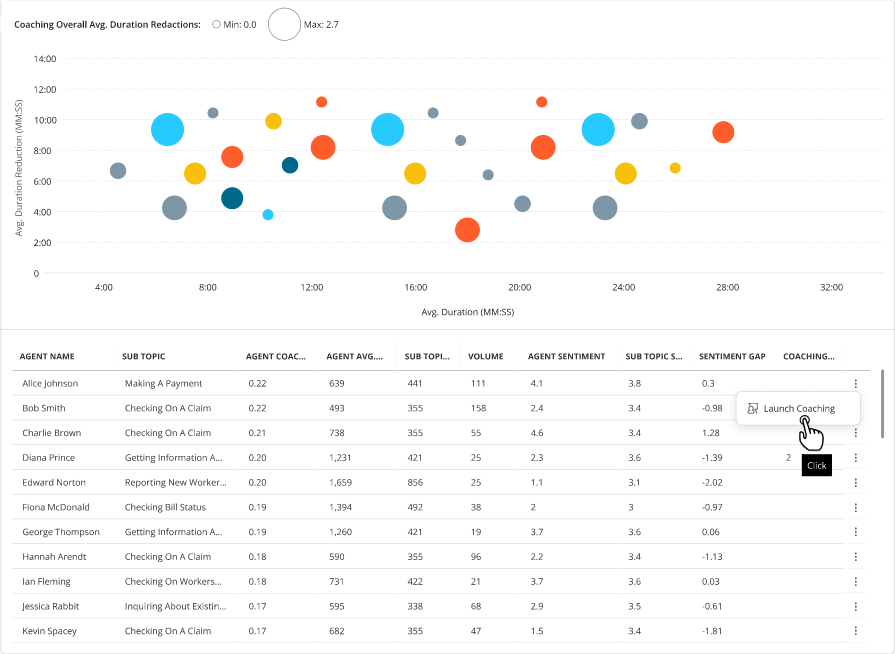
In this release, you can launch a coaching session directly from the Agent Performance Variance page, with the relevant agent and sub-topic context pre-filled in the Coaching application. This removes the need to switch tools or re-enter information manually. You can:
-
Select Launch Coaching from the row context menu for any agent row in the Agent Performance Variance table. The Coaching application opens in a new tab with the agent, sub-topic name, and a pre-composed performance objective already populated, so you can move straight to reviewing and completing the session details.
-
View a Coaching Sessions column in the Agent Performance Variance table that shows the total number of coaching sessions launched for each agent and sub-topic row at a glance. Hovering over the count displays a tooltip showing the dates and times of the last five sessions, giving you a quick view of recent coaching activity without leaving the page.
-
Receive in-context confirmation in the chat panel each time a session is launched, logging both the action and a timestamp so you have a record of what was initiated and when.
-
Coaching controls are displayed only when Coaching is enabled for your tenant. Users without the required Create permission under Coaching Management will not see the option.
| Customer Request |
|
UI Change |
|
Availability | GA
On deploy |
Actions Availability in the UK Sovereign Cloud
Actions is available in the UK Sovereign Cloud environment (UK2), extending regional coverage to customers operating under UK sovereign data residency and compliance requirements. No customer action is required to benefit from this expansion.
| Customer Request |
|
UI Change |
|
Availability | GA
On deploy |
Quality Management Autoscore Insights via Data Conversation
Previously, Data Conversation in Actions supported natural language queries across a set of available data domains, but Quality Management Autoscore data was not included. Managers who needed Autoscore insights had to navigate separate quality dashboards to find and interpret scoring results.
In this release, you can ask plain-language questions about Quality Management Autoscore data directly within the Data Conversation experience in Actions, without leaving the interface or switching dashboards. You can:
-
Query Autoscore data in plain language and receive answers inline within the Data Conversation interface. This gives you immediate access to quality scoring insights in the same environment they use for other conversation analytics, significantly reducing the time spent navigating between separate tools.
-
View contextually relevant suggested questions for the Autoscore domain, with suggestions filtered to match your tenant's active licenses. This helps you discover the most useful queries without needing to know in advance what data is available.
This feature will be available later in the release cycle.
| Customer Request |
|
UI Change |
|
Availability | GA
On deploy |
Campaign Filter for Automation and Augmentation Opportunities
Previously, the Automation Opportunities and Augmentation Opportunities dashboards displayed data aggregated across the entire business unit, with no way to isolate results for a specific campaign or brand. Contact centers that managed multiple brands within a single business unit could not distinguish which brand's interactions were driving specific opportunities.
In this release, you can filter both the Automation Opportunities and Augmentation Opportunities dashboards by campaign, giving you a focused view of opportunities scoped to a specific brand or campaign. You can:
-
Apply a Campaign filter on either dashboard to narrow the displayed opportunities to interactions associated with a specific campaign.
-
View opportunities at the campaign level rather than across the full business unit. Selecting all campaigns restores the full unfiltered view.

| Customer Request |
|
UI Change |
|
Availability | GA
On deploy |
GDPR Right-to-Erasure Compliance for Actions
Previously, Actions maintained conversation history for every user interaction and mapped business data attributes that could contain personally identifiable information such as email addresses and phone numbers. There was no automated mechanism to process GDPR Article 17 Right-to-Erasure requests within Actions, meaning data removal had to be handled outside the application.
In this release, you can process GDPR deletion requests through Actions automatically, ensuring that patron data stored across conversation history and associated data stores is erased completely in response to a Right-to-Erasure request. You can:
-
Trigger automated erasure of all stored patron data across conversation history, saved prompts, followed charts, data visualizations, user preferences, and anomaly history when a deletion request is received. This ensures comprehensive data removal across all relevant storage points without requiring manual intervention.
-
Rely on a 7-year immutable audit trail maintained for every erasure event, supporting compliance reporting requirements without retaining any of the erased personal data itself.
This feature will be available later in the release cycle.
| Customer Request |
|
UI Change |
|
Availability | GA
On deploy |
Role-Based Data Visibility in the Observability Dashboard
Previously, the Observability Dashboard did not apply data restrictions in its initial release. All users with access to the dashboard could view all data across the Copilot dashboard, Autopilot, AI Agents (Cognigy) for Process Automation (Task Assist), and business impact metrics, regardless of their team or skill assignments in NiCE CXone User Hub.
In this release, you can assign Global Views to users in NiCE CXone Admin, restricting their visibility in the Observability Dashboard to data associated only with their authorized teams or skills. You can:
-
Configure a Global View in the Admin application scoped to specific teams or skills and assign it to one or more users. Once assigned, the user's view of all Observability Dashboard data, including filters, selectors, and table content is limited to their authorized scope. This ensures that users in one team cannot view performance or quality data belonging to another team.
-
Allow users without a Global View assignment to retain full tenant visibility by default, so no disruption occurs for administrators or users who do not require data restrictions.
-
Expect a gradual rollout of this feature using a feature toggle, enabling controlled activation across tenants before full release.
Access changes made in Admin may take up to 15 minutes to be reflected in the Observability Dashboard due to data caching. When a user is assigned multiple Global Views, their combined scope across all views is applied.
| Customer Request |
|
UI Change |
|
Availability | GA
On deploy |
Admin
Change to Hire Date Field in Bulk Upload
The hire date field is now optional in the bulk upload CSV, preventing incorrect default values when no date is provided. If left blank, the system automatically assigns the current date, improving data accuracy.
| Customer Request |
|
UI Change |
|
Availability | GA
On deploy |
Audit Logging for Impersonation Changes
NiCE CXone now logs enable and disable actions for impersonation in the Tenant Audit log, including who made the change and when. This improves traceability and supports compliance by providing clear visibility for TM Admins into impersonation activity.
| Customer Request |
|
UI Change |
|
Availability | GA
On deploy |
Role-Based Visibility for Service Accounts
Tenant Manager now supports role-based visibility for service accounts, allowing administrators to hide them from most users. This improves user management clarity and enhances security by limiting exposure of non-human accounts.
| Customer Request |
|
UI Change |
|
Availability | GA
On deploy |
Accessibility improvements
The pages in the Admin application include significant accessibility improvements designed to offer a smoother, more inclusive experience for users across a wide range of visual, motor, and cognitive needs.
| Customer Request |
|
UI Change |
|
Availability | GA
On deploy |
Impersonation Enhancements
This release introduces an approval-based impersonation flow for a more controlled, auditable process. TM admins create outbound impersonation requests, tenant-side admins in Admin review and grant or reject them with a mandatory expiration date (up to 30 days), and assigned users start impersonation directly from the Impersonation tab in My Profile. The feature also includes change history, improved search and filtering, and clear session controls.
No additional license is required. Access is controlled through role permissions (impersonate-role and impersonate-role-respond) configured in Roles & Permissions.
| Customer Request |
|
UI Change |
|
Availability | GA
On deploy |
Agent Workspace (Agent)
Accessibility Improvements for Agent Workspace (WCAG 2.2 alignment).
Agent Workspace (Agent) has improved support for assistive technologies such as screen readers, speech-to-text tools, and keyboard navigation to deliver a more accessible, inclusive experience aligned with WCAG 2.2 AA. See Accessibility - Agent Workspace (Agent) Pages.
| Customer Request |
|
UI Change |
|
Availability | GA
On deploy |
Show/Hide Close Contact Confirmation
Agent Workspace (Agent) added a Desktop Profiles setting for Digital channels that lets you choose whether agents see a confirmation prompt when closing a digital interaction. This helps you reduce extra clicks and optimize average handle time while keeping the confirmation safeguard available when needed.
| Customer Request |
|
UI Change |
|
Availability | GA
On deploy |
Voice Hold Timer Alerts in Desktop Profiles
Agents receive an alert when a voice call has been on hold for longer than a configured threshold. Administrators can configure this in Desktop Profiles by enabling a Hold Timer Alert and selecting the desired duration. See Voice Call Hold Timer Alert.
| Customer Request |
|
UI Change |
|
Availability | GA
On deploy |
Show/Hide Caller Phone Number
Agent Workspace (Agent) fully supports an existing permission in Roles (Hide Caller Phone Number) that lets organizations control whether agents can see caller phone numbers. This setting is enforced consistently at runtime across relevant Agent views to support privacy-sensitive and public-safety environments. See Create Desktop Profiles section in Configure Desktop Profiles for Agent Workspace (Agent)
| Customer Request |
|
UI Change |
|
Availability | GA
On deploy |
Audio Device Failover Support
Agent Workspace (Agent) helps prevent one-way audio during voice calls by attempting to switch to the next available audio device if the agent’s primary headset or audio device disconnects mid-call. If automatic failover cannot be applied, Agent Workspace (Agent) provides an in-call option for agents to select an available input and output device. See Switch to Backup Audio Device on Failure section in Phone calls.
| Customer Request |
|
UI Change |
|
Availability | GA
On toggle |
Directory App Enhancements
-
Agent Workspace (Agent) displays an agent’s specific Unavailable code and the time spent in that state. You can also drill into Skills in the Directory to view the agents in that skill.
Customer Request
UI Change
Availability GA
On deploy -
Agent Workspace (Agent) makes it easier to identify the correct agent in the Directory when multiple people share the same first and last name by providing additional identifying information. When you hover over the name, a tooltip appears.
Customer Request
UI Change
Availability GA
On deploy -
Agents can find people in the Directory app by searching in the “Last name, First name” format (for example, “Doe, John” or “Doe,John”), in addition to existing first name, last name, and first+last-name searches.
Customer Request
UI Change
Availability GA
On deploy -
Agents can search for agent records in the Directory app using an email address, not just a name. This helps agents find the right person faster and improve efficiency.
Customer Request
UI Change
Availability GA
On deploy
See Left Menu Directory section in Agent Workspace (Agent).
Resizable Response Editor for Digital Channels
Agents can resize the Digital channel response area to make it larger or smaller as needed, providing more space when composing longer messages. This capability is already available for the email channel.
| Customer Request |
|
UI Change |
|
Availability | GA
On deploy |
Updated Reply Behavior: Latest Customer Only
The email reply bar is updated so that both Reply and Reply All automatically address the most recent customer in the conversation, instead of replying to the last message in the thread. Additionally, the Forward button is removed from the email reply bar. See Emails.
| Customer Request |
|
UI Change |
|
Availability | GA
On deploy |
Digital Channels: Typing indicators While Using Quick Responses
For all existing digital channels that support agent-to-customer typing indicators, when agents use Quick Responses, customers can see typing indicators indicating the agent is actively working on a reply.
| Customer Request |
|
UI Change |
|
Availability | GA
On deploy |
Persistent Quick Bar and App Space menu ordering and pinning
In the App Space and Left Menu, once the apps and their orders are pinned, agents’ preferences persist even after clearing the browser cache and cookies. See Agent Workspace (Agent).
| Customer Request |
|
UI Change |
|
Availability | GA
On deploy |
Warm Transfer Voice Calls to Agent already on a call
Agents can warm-transfer an active voice contact to another agent who is already on a call. See Transfer Calls section in Phone calls.
| Customer Request |
|
UI Change |
|
Availability | GA
On deploy |
Customer ID and Postal Code Validation for Outbound Engagement Skills
When agents make Wa manual outbound voice call using an Outbound Engagement skill, they are prompted to enter a customer ID and/or postal code when performing a redial from the Contact History app or making a callback on a voicemail contact. This happens or not based on how administrators have configured Outbound Engagement. See Make Outbound Calls section in Phone calls.
| Customer Request |
|
UI Change |
|
Availability | Preview |
Quick Bar: Default to the Top Configured App When No Interactions Are Present
The Quick Bar defaults to the topmost configured app when agents have no active interactions, based on their configured navigation order. This also happens when the agent logs in for the first time and no interactions are assigned. This update helps provide a more consistent landing experience.
| Customer Request |
|
UI Change |
|
Availability | GA
On toggle |
Role-Based Access Control for Group Management in Internal Chat
Users can control group management actions in Internal Chat through configurable role-based permissions. This update allows organizations to restrict who can create, rename, or modify group memberships, ensuring that team structures remain aligned with organizational governance and operational policies. See Internal Chat (Conversations) in Agent Workspace (Agent)
| Customer Request |
|
UI Change |
|
Availability | GA
On deploy |
Internal Chat Notification Control
Users can manage their Internal Chat experience with new notification preferences, including the ability to mute and unmute alerts. This feature helps agents reduce distractions and maintain focus during high-priority tasks by providing individual control over notification noise. See Internal Chat (Conversations) in Agent Workspace (Agent)
| Customer Request |
|
UI Change |
|
Availability | GA
On deploy |
Internal Chat Enhancements
The Conversations application is rebranded as Internal Chat and features an updated icon for a more intuitive user experience. Additionally, you can share larger files, with the cumulative file size limit increasing to 100 MB per message. See Internal Chat (Conversations) in Agent Workspace (Agent).
| Customer Request |
|
UI Change |
|
Availability | GA
On deploy |
Agent Workspace (Embedded) (Agent Embedded)
Accessibility Improvements for Agent Workspace (WCAG 2.2 alignment).
Agent Workspace (Embedded) (Agent Embedded) has improved support for assistive technologies such as screen readers, speech-to-text tools, and keyboard navigation to deliver a more accessible, inclusive experience aligned with WCAG 2.2 AA. See Accessibility - Agent Workspace (Agent) Pages.
| Customer Request |
|
UI Change |
|
Availability | GA
On deploy |
Show/Hide Close Contact Confirmation
Agent Workspace (Embedded) (Agent Embedded) added a Desktop Profiles setting for Digital channels that lets you choose whether agents see a confirmation prompt when closing a digital interaction. This helps you reduce extra clicks and optimize average handle time while keeping the confirmation safeguard available when needed.
| Customer Request |
|
UI Change |
|
Availability | GA
On deploy |
Voice Hold Timer Alerts in Desktop Profiles
Agents receive an alert when a voice call has been on hold for longer than a configured threshold. Administrators can configure this in Desktop Profiles by enabling a Hold Timer Alert and selecting the desired duration. See Voice Call Hold Timer Alert.
| Customer Request |
|
UI Change |
|
Availability | GA
On deploy |
Show/Hide Caller Phone Number
Agent Workspace (Embedded) (Agent Embedded) fully supports an existing permission in Roles (Hide Caller Phone Number) that lets organizations control whether agents can see caller phone numbers. This setting is enforced consistently at runtime across relevant Agent views to support privacy-sensitive and public-safety environments. See Create Desktop Profiles section in Configure Desktop Profiles for Agent Workspace (Agent)
| Customer Request |
|
UI Change |
|
Availability | GA
On deploy |
Audio Device Failover Support
Agent Workspace (Embedded) (Agent Embedded) helps prevent one-way audio during voice calls by attempting to switch to the next available audio device if the agent’s primary headset or audio device disconnects mid-call. If automatic failover cannot be applied, Agent Workspace (Embedded) (Agent Embedded) provides an in-call option for agents to select an available input and output device. See Switch to Backup Audio Device on Failure section in Phone calls.
| Customer Request |
|
UI Change |
|
Availability | GA
On toggle |
Directory App Enhancements
-
Agent Workspace (Embedded) (Agent Embedded) displays an agent’s specific Unavailable code and the time spent in that state. You can also drill into Skills in the Directory to view the agents in that skill.
Customer Request
UI Change
Availability GA
On deploy -
Agent Workspace (Embedded) (Agent Embedded) makes it easier to identify the correct agent in the Directory when multiple people share the same first and last name by providing additional identifying information. When you hover over the name, a tooltip appears.
Customer Request
UI Change
Availability GA
On deploy -
Agents can find people in the Directory app by searching in the “Last name, First name” format (for example, “Doe, John” or “Doe,John”), in addition to existing first name, last name, and first+last-name searches.
Customer Request
UI Change
Availability GA
On deploy -
Agents can search for agent records in the Directory app using an email address, not just a name. This helps agents find the right person faster and improve efficiency.
Customer Request
UI Change
Availability GA
On deploy
See Left Menu Directory section in Agent Workspace (Embedded) (Agent Embedded).
Resizable Response Editor for Digital Channels
Agents can resize the Digital channel response area to make it larger or smaller as needed, providing more space when composing longer messages. This capability is already available for the email channel.
| Customer Request |
|
UI Change |
|
Availability | GA
On deploy |
Updated Reply Behavior: Latest Customer Only
The email reply bar is updated so that both Reply and Reply All automatically address the most recent customer in the conversation, instead of replying to the last message in the thread. Additionally, the Forward button is removed from the email reply bar. See Emails.
| Customer Request |
|
UI Change |
|
Availability | GA
On deploy |
Digital Channels: Typing indicators While Using Quick Responses
For all existing digital channels that support agent-to-customer typing indicators, when agents use Quick Responses, customers can see typing indicators indicating the agent is actively working on a reply.
| Customer Request |
|
UI Change |
|
Availability | GA
On deploy |
Persistent Quick Bar and App Space menu ordering and pinning
In the App Space and Left Menu, once the apps and their orders are pinned, agents’ preferences persist even after clearing the browser cache and cookies. See Agent Workspace (Embedded) (Agent Embedded).
| Customer Request |
|
UI Change |
|
Availability | GA
On deploy |
Warm Transfer Voice Calls to Agent already on a call
Agents can warm-transfer an active voice contact to another agent who is already on a call. See Transfer Calls section in Phone calls.
| Customer Request |
|
UI Change |
|
Availability | GA
On deploy |
Customer ID and Postal Code Validation for Outbound Engagement Skills
When agents make Wa manual outbound voice call using an Outbound Engagement skill, they are prompted to enter a customer ID and/or postal code when performing a redial from the Contact History app or making a callback on a voicemail contact. This happens or not based on how administrators have configured Outbound Engagement. See Make Outbound Calls section in Phone calls.
| Customer Request |
|
UI Change |
|
Availability | Preview |
Quick Bar: Default to the Top Configured App When No Interactions Are Present
The Quick Bar defaults to the topmost configured app when agents have no active interactions, based on their configured navigation order. This also happens when the agent logs in for the first time and no interactions are assigned. This update helps provide a more consistent landing experience.
| Customer Request |
|
UI Change |
|
Availability | GA
On toggle |
Agent Workspace for Microsoft Teams (Agent for Microsoft Teams)
Reduce Duplicate Voice Biometrics Pop-Ups in Agent Workspace for Microsoft Teams (Agent for Microsoft Teams)
Agent Workspace for Microsoft Teams (Agent for Microsoft Teams) generates a single Voice Biometrics verification pop-up at the appropriate time, instead of opening multiple duplicate pop-up windows during and after a call. See Screen Pops for Omilia in MS Teams Desktop
| Customer Request |
|
UI Change |
|
Availability | GA
On deploy |
Accessibility Improvements for Agent Workspace (WCAG 2.2 alignment).
Agent Workspace for Microsoft Teams (Agent for Microsoft Teams) has improved support for assistive technologies such as screen readers, speech-to-text tools, and keyboard navigation to deliver a more accessible, inclusive experience aligned with WCAG 2.2 AA. See Accessibility - Agent Workspace (Agent) Pages.
| Customer Request |
|
UI Change |
|
Availability | GA
On deploy |
Show/Hide Close Contact Confirmation
Agent Workspace for Microsoft Teams (Agent for Microsoft Teams) added a Desktop Profiles setting for Digital channels that lets you choose whether agents see a confirmation prompt when closing a digital interaction. This helps you reduce extra clicks and optimize average handle time while keeping the confirmation safeguard available when needed.
| Customer Request |
|
UI Change |
|
Availability | GA
On deploy |
Voice Hold Timer Alerts in Desktop Profiles
Agents receive an alert when a voice call has been on hold for longer than a configured threshold. Administrators can configure this in Desktop Profiles by enabling a Hold Timer Alert and selecting the desired duration. See Voice Call Hold Timer Alert.
| Customer Request |
|
UI Change |
|
Availability | GA
On deploy |
Show/Hide Caller Phone Number
Agent Workspace for Microsoft Teams (Agent for Microsoft Teams) fully supports an existing permission in Roles (Hide Caller Phone Number) that lets organizations control whether agents can see caller phone numbers. This setting is enforced consistently at runtime across relevant Agent views to support privacy-sensitive and public-safety environments. See Create Desktop Profiles section in Configure Desktop Profiles for Agent Workspace (Agent)
| Customer Request |
|
UI Change |
|
Availability | GA
On deploy |
Audio Device Failover Support
Agent Workspace for Microsoft Teams (Agent for Microsoft Teams) helps prevent one-way audio during voice calls by attempting to switch to the next available audio device if the agent’s primary headset or audio device disconnects mid-call. If automatic failover cannot be applied, Agent Workspace for Microsoft Teams (Agent for Microsoft Teams) provides an in-call option for agents to select an available input and output device. See Switch to Backup Audio Device on Failure section in Phone calls.
| Customer Request |
|
UI Change |
|
Availability | GA
On toggle |
Directory App Enhancements
-
Agent Workspace for Microsoft Teams (Agent for Microsoft Teams) displays an agent’s specific Unavailable code and the time spent in that state. You can also drill into Skills in the Directory to view the agents in that skill.
Customer Request
UI Change
Availability GA
On deploy -
Agent Workspace for Microsoft Teams (Agent for Microsoft Teams) makes it easier to identify the correct agent in the Directory when multiple people share the same first and last name by providing additional identifying information. When you hover over the name, a tooltip appears.
Customer Request
UI Change
Availability GA
On deploy -
Agents can find people in the Directory app by searching in the “Last name, First name” format (for example, “Doe, John” or “Doe,John”), in addition to existing first name, last name, and first+last-name searches.
Customer Request
UI Change
Availability GA
On deploy -
Agents can search for agent records in the Directory app using an email address, not just a name. This helps agents find the right person faster and improve efficiency.
Customer Request
UI Change
Availability GA
On deploy
See Left Menu Directory section in Agent Workspace for Microsoft Teams (Agent for Microsoft Teams).
Resizable Response Editor for Digital Channels
Agents can resize the Digital channel response area to make it larger or smaller as needed, providing more space when composing longer messages. This capability is already available for the email channel.
| Customer Request |
|
UI Change |
|
Availability | GA
On deploy |
Updated Reply Behavior: Latest Customer Only
The email reply bar is updated so that both Reply and Reply All automatically address the most recent customer in the conversation, instead of replying to the last message in the thread. Additionally, the Forward button is removed from the email reply bar. See Emails.
| Customer Request |
|
UI Change |
|
Availability | GA
On deploy |
Digital Channels: Typing indicators While Using Quick Responses
For all existing digital channels that support agent-to-customer typing indicators, when agents use Quick Responses, customers can see typing indicators indicating the agent is actively working on a reply.
| Customer Request |
|
UI Change |
|
Availability | GA
On deploy |
Persistent Quick Bar and App Space menu ordering and pinning
In the App Space and Left Menu, once the apps and their orders are pinned, agents’ preferences persist even after clearing the browser cache and cookies. See Agent Workspace for Microsoft Teams (Agent for Microsoft Teams).
| Customer Request |
|
UI Change |
|
Availability | GA
On deploy |
Warm Transfer Voice Calls to Agent already on a call
Agents can warm-transfer an active voice contact to another agent who is already on a call. See Transfer Calls section in Phone calls.
| Customer Request |
|
UI Change |
|
Availability | GA
On deploy |
Customer ID and Postal Code Validation for Outbound Engagement Skills
When agents make Wa manual outbound voice call using an Outbound Engagement skill, they are prompted to enter a customer ID and/or postal code when performing a redial from the Contact History app or making a callback on a voicemail contact. This happens or not based on how administrators have configured Outbound Engagement. See Make Outbound Calls section in Phone calls.
| Customer Request |
|
UI Change |
|
Availability | Preview |
Quick Bar: Default to the Top Configured App When No Interactions Are Present
The Quick Bar defaults to the topmost configured app when agents have no active interactions, based on their configured navigation order. This also happens when the agent logs in for the first time and no interactions are assigned. This update helps provide a more consistent landing experience.
| Customer Request |
|
UI Change |
|
Availability | GA
On toggle |
Agent Workspace for Salesforce Voice
Voicemail Playback Support in Salesforce
NiCE CXone Agent Workspace for Salesforce Voice enables agents to play back customer voicemail recordings directly within Salesforce. Voicemail interactions appear alongside other voice and digital interactions, allowing agents to access voicemail messages, review customer requests, and initiate follow-up actions such as returning calls or creating cases without leaving Salesforce. This capability streamlines the agent workflow by eliminating the need to switch between applications, reducing average handling time, improving agent productivity, and delivering a unified interaction management experience within a single interface.
This feature will be available later in the release cycle.
| Customer Request |
|
UI Change |
|
Availability | GA
On deploy |
Digital Channel Support for Salesforce Voice
Digital channel messaging is added to the Enhanced Omni-Channel widget. The NiCE CXone routing engine routes all digital interactions to agents alongside voice interactions, allowing them to view, accept, and handle every channel type from a single interface.
Supported NiCE CXone Digital Channels:
-
Live Chat: Agents can receive, view, and handle live chat interactions within the Enhanced Omni-Channel widget, with routing handled by the CXone routing engine.
-
WhatsApp: Agents can receive, view, and handle WhatsApp interactions
-
SMS: Agents can receive, view, and handle SMS interactions within the Enhanced Omni-Channel widget, with routing handled by the NiCE CXone routing engine.
This feature eliminates the need to switch between separate tools for voice and digital channels, reducing handle time and enabling agents to serve customers across channels from a single workspace.
This feature will be available later in the release cycle.
| Customer Request |
|
UI Change |
|
Availability | GA
On deploy |
Salesforce Cases and Email-to-Case Support with Unified Routing
Agents can receive and handle Salesforce Cases, as well as Email-to-Case interactions, routed through the CXone routing engine directly within the NiCE CXone CXone Agent for Salesforce Voice Omnichannel widget.
Once a Salesforce Case is created and routed through external routing to NiCE CXone, it leverages NiCE CXone Unified Routing to intelligently assign the case to the appropriate agent.
This feature will be available later in the release cycle.
| Customer Request |
|
UI Change |
|
Availability | GA
On deploy |
Unified Agent Workspace for ServiceNow
Support for Multiple ServiceNow Instances in a Single CXone Business Unit
CXone now supports connecting and configuring multiple ServiceNow instances (such as Development, Testing, and Production) within a single CXone Business Unit. Configured through Integration Hub, administrators can map instance-specific client settings, channels, skills, directory access, and presence statuses to designated users. This ensures agents only receive interactions and access resources for their assigned ServiceNow environment, eliminating the need to maintain multiple CXone Business Units while maintaining strict data and interaction segregation across instances.
This feature will be available later in the release cycle.
| Customer Request |
|
UI Change |
|
Availability | GA
On deploy |
Multi-Instance ServiceNow Integration for NiCE Voice
NiCE Voice now supports integration with multiple ServiceNow instances within a single CXone tenant or Business Unit (BU). This enhancement allows organizations operating multiple ServiceNow environments (such as Development, Testing, and Production) to connect them to the same CXone tenant, ensuring agents only receive interactions from skills mapped to their specific ServiceNow instance, maintain instance-specific directory visibility, and preserve synchronized presence and channel mapping.
This feature will be available later in the release cycle.
| Customer Request |
|
UI Change |
|
Availability | GA
On deploy |
Support Multiple ServiceNow Instances for Digital Channels in Unified Agent Workspace
Unified Agent Workspace for ServiceNow now supports connecting multiple ServiceNow instances (such as Development, Testing, and Production environments) within a single CXone Business Unit (BU). This enhancement enables organizations to manage distinct ServiceNow environments concurrently while maintaining complete data and interaction isolation.
With this capability:
-
Targeted Interaction Routing: Agents receive digital interactions exclusively from skills mapped to their assigned ServiceNow instance.
-
Instance-Specific Directories: Agents only view the address book and directory configured for their designated instance.
-
Presence & Channel Synchronization: State and presence synchronization operate independently per ServiceNow instance, preventing cross-environment state conflicts.
-
Granular Administration: Administrators can map users, skills, and channels to specific instances within CXone, ensuring seamless multi-environment management without requiring separate CXone tenants.
This feature will be available later in the release cycle.
| Customer Request |
|
UI Change |
|
Availability | GA
On deploy |
Outbound Skill Selector for ServiceNow OpenFrame
Agents using the ServiceNow OpenFrame integration can now dynamically select an outbound queue or skill when initiating outbound calls from the keypad, phone directory, click-to-dial, or callback components, rather than being restricted to a single default skill. Through the updated queue selection interface, agents can search and pick the appropriate outbound queue for each interaction and toggle the "default to all outbound queues" option to persist the selected queue across subsequent calls, providing greater control and flexibility over outbound call routing.
This feature will be available later in the release cycle.
| Customer Request |
|
UI Change |
|
Availability | GA
On deploy |
Support for NiCE Outcomes and Dispositions in ServiceNow Digital Chat
NiCE Voice now supports integration with multiple ServiceNow instances within a single CXone tenant or Business Unit (BU). This enhancement allows organizations operating multiple ServiceNow environments (such as Development, Testing, and Production) to connect them to the same CXone tenant, ensuring agents only receive interactions from skills mapped to their specific ServiceNow instance, maintain instance-specific directory visibility, and preserve synchronized presence and channel mapping.
This feature will be available later in the release cycle.
| Customer Request |
|
UI Change |
|
Availability | GA
On deploy |
NiCE Address Book and Directory Search in ServiceNow OpenFrame
Agents using the ServiceNow OpenFrame integration can now access the NICE Directory directly within their workspace to search for and connect with contacts across the organization. This feature introduces directory navigation for outbound calling and transfers, allowing agents to search standard address books, view agent availability states, search queues and skills, and mark up to 25 frequently contacted entries as favorites. Outbound interactions and transfer workflows can be initiated directly from the directory interface, streamlining agent workflows and ensuring parity with the standard agent workspace experience.
This feature will be available later in the release cycle.
| Customer Request |
|
UI Change |
|
Availability | GA
On deploy |
NiCE CXone Digital Interaction Routing for ServiceNow (WhatsApp Integration)
NiCE CXone now supports integration with the ServiceNow Custom Chat Chatbot Interoperability Framework (CCCIF) to route NICE Digital interactions directly into the ServiceNow workspace. With this capability, agents can receive and manage NICE Digital WhatsApp channel interactions seamlessly within their ServiceNow environment, creating a unified workspace across CXone and ServiceNow.
This feature will be available later in the release cycle.
| Customer Request |
|
UI Change |
|
Availability | GA
On deploy |
Roles & Permissions: RBAC Updates for ServiceNow Mapping WebApp
Administrators can now manage updated Role-Based Access Control (RBAC) permissions for the ServiceNow Mapping WebApp directly within CXone Roles & Permissions. This update establishes frontend and backend permission controls for the Mapping WebApp, ensuring proper access governance when configuring integrations for ServiceNow custom agent workflows.
This feature will be available later in the release cycle.
| Customer Request |
|
UI Change |
|
Availability | GA
On deploy |
Dynamic Consult Re-Enablement in Multi-Party Conferences
Unified Agent Workspace for ServiceNow now accurately tracks conference participant changes in real time by consuming participant state notifications from the ACD. When an agent leaves an active three-party conference, the agent interface dynamically updates the participant count and re-enables the Consult and transfer options for the remaining agent, allowing seamless continued collaboration and consultation without interaction restarts or workarounds.
This feature will be available later in the release cycle.
| Customer Request |
|
UI Change |
|
Availability | GA
On deploy |
Agent Workspace (Browser Extension) (Agent Integrated)
Accessibility Improvements for Agent Workspace (WCAG 2.2 alignment).
Agent Workspace (Browser Extension) (Agent Integrated) has improved support for assistive technologies such as screen readers, speech-to-text tools, and keyboard navigation to deliver a more accessible, inclusive experience aligned with WCAG 2.2 AA. See Accessibility - Agent Workspace (Agent) Pages.
| Customer Request |
|
UI Change |
|
Availability | GA
On deploy |
Show/Hide Close Contact Confirmation
Agent Workspace (Browser Extension) (Agent Integrated) added a Desktop Profiles setting for Digital channels that lets you choose whether agents see a confirmation prompt when closing a digital interaction. This helps you reduce extra clicks and optimize average handle time while keeping the confirmation safeguard available when needed.
| Customer Request |
|
UI Change |
|
Availability | GA
On deploy |
Voice Hold Timer Alerts in Desktop Profiles
Agents receive an alert when a voice call has been on hold for longer than a configured threshold. Administrators can configure this in Desktop Profiles by enabling a Hold Timer Alert and selecting the desired duration. See Voice Call Hold Timer Alert.
| Customer Request |
|
UI Change |
|
Availability | GA
On deploy |
Show/Hide Caller Phone Number
Agent Workspace (Browser Extension) (Agent Integrated) fully supports an existing permission in Roles (Hide Caller Phone Number) that lets organizations control whether agents can see caller phone numbers. This setting is enforced consistently at runtime across relevant Agent views to support privacy-sensitive and public-safety environments. See Create Desktop Profiles section in Configure Desktop Profiles for Agent Workspace (Agent)
| Customer Request |
|
UI Change |
|
Availability | GA
On deploy |
Audio Device Failover Support
Agent Workspace (Browser Extension) (Agent Integrated) helps prevent one-way audio during voice calls by attempting to switch to the next available audio device if the agent’s primary headset or audio device disconnects mid-call. If automatic failover cannot be applied, Agent Workspace (Browser Extension) (Agent Integrated) provides an in-call option for agents to select an available input and output device. See Switch to Backup Audio Device on Failure section in Phone calls.
| Customer Request |
|
UI Change |
|
Availability | GA
On toggle |
Directory App Enhancements
-
Agent Workspace (Browser Extension) (Agent Integrated) displays an agent’s specific Unavailable code and the time spent in that state. You can also drill into Skills in the Directory to view the agents in that skill.
Customer Request
UI Change
Availability GA
On deploy -
Agent Workspace (Browser Extension) (Agent Integrated) makes it easier to identify the correct agent in the Directory when multiple people share the same first and last name by providing additional identifying information. When you hover over the name, a tooltip appears.
Customer Request
UI Change
Availability GA
On deploy -
Agents can find people in the Directory app by searching in the “Last name, First name” format (for example, “Doe, John” or “Doe,John”), in addition to existing first name, last name, and first+last-name searches.
Customer Request
UI Change
Availability GA
On deploy -
Agents can search for agent records in the Directory app using an email address, not just a name. This helps agents find the right person faster and improve efficiency.
Customer Request
UI Change
Availability GA
On deploy
See Left Menu Directory section in Agent Workspace (Browser Extension) (Agent Integrated).
Resizable Response Editor for Digital Channels
Agents can resize the Digital channel response area to make it larger or smaller as needed, providing more space when composing longer messages. This capability is already available for the email channel.
| Customer Request |
|
UI Change |
|
Availability | GA
On deploy |
Updated Reply Behavior: Latest Customer Only
The email reply bar is updated so that both Reply and Reply All automatically address the most recent customer in the conversation, instead of replying to the last message in the thread. Additionally, the Forward button is removed from the email reply bar. See Emails.
| Customer Request |
|
UI Change |
|
Availability | GA
On deploy |
Digital Channels: Typing indicators While Using Quick Responses
For all existing digital channels that support agent-to-customer typing indicators, when agents use Quick Responses, customers can see typing indicators indicating the agent is actively working on a reply.
| Customer Request |
|
UI Change |
|
Availability | GA
On deploy |
Persistent Quick Bar and App Space menu ordering and pinning
In the App Space and Left Menu, once the apps and their orders are pinned, agents’ preferences persist even after clearing the browser cache and cookies. See Agent Workspace (Browser Extension) (Agent Integrated).
| Customer Request |
|
UI Change |
|
Availability | GA
On deploy |
Warm Transfer Voice Calls to Agent already on a call
Agents can warm-transfer an active voice contact to another agent who is already on a call. See Transfer Calls section in Phone calls.
| Customer Request |
|
UI Change |
|
Availability | GA
On deploy |
Customer ID and Postal Code Validation for Outbound Engagement Skills
When agents make Wa manual outbound voice call using an Outbound Engagement skill, they are prompted to enter a customer ID and/or postal code when performing a redial from the Contact History app or making a callback on a voicemail contact. This happens or not based on how administrators have configured Outbound Engagement. See Make Outbound Calls section in Phone calls.
| Customer Request |
|
UI Change |
|
Availability | Preview |
Quick Bar: Default to the Top Configured App When No Interactions Are Present
The Quick Bar defaults to the topmost configured app when agents have no active interactions, based on their configured navigation order. This also happens when the agent logs in for the first time and no interactions are assigned. This update helps provide a more consistent landing experience.
| Customer Request |
|
UI Change |
|
Availability | GA
On toggle |
Agent Workspace Advanced (Enhanced Customer Card)
Enhanced Agent Scalability for Agent Workspace Advanced (Enhanced Customer Card)
Agent Workspace Advanced (Enhanced Customer Card) supports up to 50,000 named agents and 18,000 concurrent agents within a single tenant. This update ensures high performance and responsiveness across all workflows, maintaining search latencies under two seconds for common queries even at maximum scale.
| Customer Request |
|
UI Change |
|
Availability | GA
On deploy |
WCAG 2.2 AA Accessibility Support for Agent Workspace Advanced (Enhanced Customer Card)
The Agent Workspace Advanced (Enhanced Customer Card) is updated to align with WCAG 2.2 AA standards, ensuring a more inclusive and accessible experience for all agents. This enhancement focuses on improving navigation and usability for users who rely on assistive technologies.
| Customer Request |
|
UI Change |
|
Availability | GA
On deploy |
Standardized Default Views for List Components
The Customer, Account, and Ticket list components include three system-defined default views: Recently Viewed, All Records, and Assigned to Me. These standardized views provide a more consistent and intuitive navigation experience by replacing fragmented settings with clearly visible, out-of-the-box options.
| Customer Request |
|
UI Change |
|
Availability | GA
On deploy |
Restricted Advanced Filtering for List Views
Administrators can restrict the scope of advanced searches to only the records within an agent's assigned View for Customers, Tickets, and Accounts. This feature ensures that agents can only query and retrieve data they are authorized to see based on their specific View assignments.
| Customer Request |
|
UI Change |
|
Availability | GA
On deploy |
Support for Dynamic Studio Script Data in Agent Workspace Advanced (Enhanced Customer Card)
Agent Workspace Advanced (Enhanced Customer Card) includes a dedicated Studio Features component that displays dynamic data directly from Studio Scripts. This feature allows agents to view real-time, formatted information, such as custom text and color-coded alerts triggered by specific actions like answering, holding, or transferring calls.
| Customer Request |
|
UI Change |
|
Availability | GA
On deploy |
Manual Interaction Linking for Ticketing
Agents can manually link active interactions to specific tickets in Agent Workspace Advanced (Enhanced Customer Card) using a new Link Contact button. This feature allows for more flexible record-keeping by enabling a single interaction to be associated with multiple tickets without requiring a save or update event.
| Customer Request |
|
UI Change |
|
Availability | GA
On deploy |
Designer Admin Redesign and Simplification
The Designer interface is redesigned to migrate to a modern UI framework and simplify the configuration process for Agent Workspace Advanced (Enhanced Customer Card).
| Customer Request |
|
UI Change |
|
Availability | GA
On deploy |
Expanded Language Support for Agent Workspace Advanced (Enhanced Customer Card)
Agent Workspace Advanced (Enhanced Customer Card) supports all languages available in the standard Agent Workspace application, automatically detecting and applying the language based on your browser settings. However, Agent Workspace Advanced (Enhanced Customer Card) is not available in certain regions.
| Customer Request |
|
UI Change |
|
Availability | GA
On deploy |
NiCE CXone Integration
To provide a more seamless and unified administrative experience, the Designer Builder interface is integrated directly into the NiCE CXone platform. The integration includes the Designer Builder within the standard NiCE CXone menu structure, ensuring that all menu items and navigation paths are clearly displayed and easily accessible from a single location.
| Customer Request |
|
UI Change |
|
Availability | GA
On deploy |
Agent Workspace Premium (Desk)
WCAG 2.2 AA Accessibility Support for Agent Workspace Premium (Desk)
The Agent Workspace Premium (Desk) is updated to align with WCAG 2.2 AA standards, ensuring a more inclusive and accessible experience for all agents. This enhancement focuses on improving navigation and usability for users who rely on assistive technologies.
| Customer Request |
|
UI Change |
|
Availability | GA
On deploy |
Standardized Default Views for List Components
The Customer, Account, and Ticket list components include three system-defined default views: Recently Viewed, All Records, and Assigned to Me. These standardized views provide a more consistent and intuitive navigation experience by replacing fragmented settings with clearly visible, out-of-the-box options.
| Customer Request |
|
UI Change |
|
Availability | GA
On deploy |
Restricted Advanced Filtering for List Views
Administrators can restrict the scope of advanced searches to only the records within an agent's assigned View for Customers, Tickets, and Accounts. This feature ensures that agents can only query and retrieve data they are authorized to see based on their specific View assignments.
| Customer Request |
|
UI Change |
|
Availability | GA
On deploy |
Support for Dynamic Studio Script Data in Agent Workspace Premium (Desk)
Agent Workspace Premium (Desk) includes a dedicated Studio Features component that displays dynamic data directly from Studio Scripts. This feature allows agents to view real-time, formatted information, such as custom text and color-coded alerts triggered by specific actions like answering, holding, or transferring calls.
| Customer Request |
|
UI Change |
|
Availability | GA
On deploy |
Manual Interaction Linking for Ticketing
Agents can manually link active interactions to specific tickets in Agent Workspace Premium (Desk) using a new Link Contact button. This feature allows for more flexible record-keeping by enabling a single interaction to be associated with multiple tickets without requiring a save or update event.
| Customer Request |
|
UI Change |
|
Availability | GA
On deploy |
Designer Admin Redesign and Simplification
The Designer interface is redesigned to migrate to a modern UI framework and simplify the configuration process for Agent Workspace Premium (Desk).
| Customer Request |
|
UI Change |
|
Availability | GA
On deploy |
Expanded Language Support for Agent Workspace Premium (Desk)
Agent Workspace Premium (Desk) supports all languages available in the standard Agent Workspace application, automatically detecting and applying the language based on your browser settings. However, Agent Workspace Premium (Desk) is not available in certain regions.
| Customer Request |
|
UI Change |
|
Availability | GA
On deploy |
NiCE CXone Integration
To provide a more seamless and unified administrative experience, the Designer Builder interface is integrated directly into the NiCE CXone platform. The integration includes the Designer Builder within the standard NiCE CXone menu structure, ensuring that all menu items and navigation paths are clearly displayed and easily accessible from a single location.
| Customer Request |
|
UI Change |
|
Availability | GA
On deploy |
Analytics Services
Streamlined Transcript Retrieval
A new API lets you retrieve Segment Ids even without Interaction Analytics. This update enables you to pull up to 90 days of Segment Ids using filters like time ranges or specific agents. This ensures your external record-keeping is faster and more reliable than ever. Use the results from this new API to make requests to other APIs that require a single Segment Id. For more information on this API, refer to the Platform Analytics APIs section in the Developer Community portal.
| Customer Request |
|
UI Change |
|
Availability | GA
On toggle |
Customizable Analytics Policies
Analytics Policies give you control over how post-call transcription and analytics are triggered for your interactions. You can now create profiles to apply features like IA and Topic AI to specific interactions. You can target specific teams, employees, call directions, ACD skills, and Business Data when setting up Analytics Policies.
| Customer Request |
|
UI Change |
|
Availability | GA
On toggle |
Updated Look and Feel with NiCE AI C26 Theme for Topic AI
Topic AI has adopted the updated theme with a fully redesigned application layout aligned with all NiCE AI applications within CXone. The updated interface includes new fonts, color palette, updated box shapes, and refreshed icons. Color contrast meets accessibility standards. Key layout changes include:
-
Filters have moved from the right panel to the header.
-
The statistics panel has been removed and integrated into the main view, which now includes Kanban, tree view, and list view.
-
Examples have moved to the right panel.
-
Switching between topic types (customer intents and agent actions) has moved to the left panel.
This change provides a consistent visual and navigational experience across all NiCE AI applications.
| Customer Request |
|
UI Change |
|
Availability | GA
On toggle |
Topic AI Model Validation Enhancements
After enriching a Topic AI model, the model coverage and accuracy metrics are now available on a new Overview page. In addition, each category, topic, and subtopic include an accuracy metric calculated by LLM as a judge. This allows you to check accuracy at every level and take actions such as rename, remove, move, or merge topics accordingly. The Overview page now highlights low-accuracy topics across all topic types and provides direct links to the topic view for taking action. These enhancements make it easier to see which topics are working well and which ones need more refinement.
| Customer Request |
|
UI Change |
|
Availability | GA
On toggle |
Expanded Language Support
Topic AI has expanded its global reach to support a wider range of international business needs. You can now enable Topic AI for the following languages:
- CXone + Nexidia Support: English, Brazilian Portuguese, Spanish, French, German, Dutch and Japanese
-
Supported for Nexidia only: Korean, Italian and Chinese
This update includes specialized handling for non-whitespace languages to ensure high accuracy and deeper insights across global conversations.
-
The system does not support switching between different languages within a single conversation.
-
Combining whitespace (e.g., English) and non-whitespace (e.g., Japanese) languages is not supported when enriching data.
Multi-Language Collections
With the integration of the Interactions Hub, users can now create Topic AI collections that include multiple languages.
| Customer Request |
|
UI Change |
|
Availability | GA
On toggle |
Topic AI Accuracy Improvements
Topic AI now provides better coverage and accuracy across all topic types, including improved topic naming, automatic creation of new categories when required, and better topic granularity. These updates help organize your data more effectively by creating specific new categories instead of grouping items under "Other."
| Customer Request |
|
UI Change |
|
Availability | GA
On toggle |
Expanded Subtopic Examples
The number of visible examples for each subtopic has increased from 5 to 50, allowing for a more thorough assessment of intents and actions. A new scrollable interface and prioritizes high-impact sentences help you to quickly verify the accuracy of the topic.
| Customer Request |
|
UI Change |
|
Availability | GA
On toggle |
Decouple Topic AI from Analytics
Users can now use Topic AI independently from Interaction Analytics (CXone). To get started, you should:
-
Ask your account representative to activate a new Topic AI license in Analytics Services.
-
Create Analytics Policies with Topic AI enabled.
-
Create a Topic AI Collection from Integration Hub.
-
Use the Topic AI application in the same way as before.
This update allows you to upload and enrich your AI models directly from Interactions Hub, even without an IA license. You can filter and sample up to 40,000 interactions to improve your AI-driven insights using your own data.
The recommended filters are:
-
Last 90 days
-
Voice only interactions
-
Transcript Language (must filter as filter transcribed sessions only)
| Customer Request |
|
UI Change |
|
Availability | GA
On toggle |
Lock Subtopics in Topic AI
Users can now lock critical L3 subtopics to prevent them from being changed or removed during model updates. This feature also supports locking topics related to holidays so they can be retained on the next enrichment cycle, even if those topics are not present in the new enrichment data. Visual indicators for locked items and new filtering options help users easily manage and protect essential business topics.
| Customer Request |
|
UI Change |
|
Availability | GA
On toggle |
Accessibility Improvements
Topic AI now includes significant accessibility improvements designed to offer a smoother, more inclusive experience for users across a wide range of visual, motor, and cognitive needs.
| Customer Request |
|
UI Change |
|
Availability | GA
On toggle |
API
Store & Forward Generic Ingestion API
The new Store & Forward (S&F) Generic Ingestion API provides a standardized way for external recording and digital systems to bulk‑import closed interactions into NiCE CXone.
| Customer Request |
|
UI Change |
|
Availability | GA
On deploy |
Telephony System Name Added to Data Extract API
The CSV file generated by the Data Extract API will include the telephony system name (such as Cisco, Avaya, or Genesys) for each interaction. This will help customers in Engagement Hub (Multi-ACD/Open) environments to easily identify, analyze, and troubleshoot interactions.
| Customer Request |
|
UI Change |
|
Availability | GA
On deploy |
Export API
A new set of APIs has been added to the Developer Portal to help build and maintain integrations with Feedback Management. Users are able to programmatically retrieve invitation and response data in bulk, as well as access survey metadata, reducing manual work and keeping reporting pipelines up to date automatically.
| Customer Request |
|
UI Change |
|
Availability | GA
On deploy |
One-Click OpenAPI Spec Download
Developers can now easily download OpenAPI 3.0 specification files for NiCE CXone APIs directly from the developer portal. A new Download button is introduced on individual API pages, enabling users to quickly access official JSON specification files. These production-ready specs can be used to generate SDKs, streamline API testing, and keep integrations up to date with trusted definitions. To access a specific API, simply select it using the filter available in the top-right corner of the page.
| Customer Request |
|
UI Change |
|
Availability | GA
On toggle |
Analyzed Interaction Segments API: Skill ID Filter
The Analyzed Interaction Segments API supports filtering by Skill ID. This enhancement allows developers to refine API requests by combining the skillId parameter with existing date filters, ensuring that only interaction segments associated with specific skills are retrieved.
| Customer Request |
|
UI Change |
|
Availability | GA
On toggle |
Reporting API - DX Contact State Activity
In this release, you gain full visibility into Digital Experience (DX) contact lifecycles with new activity tracking. Unlike previous versions that relied on the contact's original start date, this new API allows you to retrieve all state changes (assignments, status shifts, and so on) occurring within any 7-day window. This ensures you capture critical intraday events for digital interactions, even if they began weeks ago.
For more details, select the API filter on the top right.
Action Required:
Prepare to update your Reporting workflows to leverage the new endpoints.
| Customer Request |
|
UI Change |
|
Availability | GA
On deploy |
Streamlined Transcript Retrieval API
The Transcript Retrieval API allows you to efficiently retrieve Segment IDs for up to 90 days using time range or agent filters, even without Interaction Analytics. These IDs can be used to streamline requests to other APIs requiring a single Segment ID. For details, visit the Platform Analytics APIs section in the Developer Community portal.
| Customer Request |
|
UI Change |
|
Availability | GA
On toggle |
Draft Message History Retrieval API Timestamps
The Draft Message History Retrieval API now includes date and time stamps for every approval or rejection action, providing a complete audit trail for compliance by tracking exactly when a supervisor took action on a message draft. For details, visit the Digital Engagement APIs section in the Developer Community portal.
| Customer Request |
|
UI Change |
|
Availability | GA
On toggle |
Create Policy API Supports Additional ANI/DNIS Operators
The Create Policy API now supports additional operators for ANI and DNIS criteria, including Equals, Contains, Starts With, and Ends With. This enables substring-based matching and provides greater flexibility when creating policy search criteria.
| Customer Request |
|
UI Change |
|
Availability | GA
On toggle |
Create Policy API Supports Additional Business Data Operators
The Create Policy API now supports additional operators for Business Data policy criteria, including range-based and null-value operators. This enables more flexible and precise policy creation.
| Customer Request |
|
UI Change |
|
Availability | GA
On toggle |
API Support for Secure Form Auto-Save to Contact Fields
The DFO V3 API now supports the Auto-save to Contact functionality for Secure Forms. When a form is submitted via the PUT /dfo/3.0/form-submissions/{id} endpoint, values are automatically synchronized to the contact's case custom fields if the Turn Save Data in Custom Fields setting is enabled. This ensures consistent data capture across both API and UI submission paths. For details, visit the Digital Engagement APIs section in the Developer Portal.
Action Required: Ensure API requests are made within a logged-in agent (user) context to trigger the auto-save.
| Customer Request |
|
UI Change |
|
Availability | GA
On toggle |
Autopilot (Omilia) Hosted
Autopilot (Omilia) Hosted Upgrade
Autopilot (Omilia) Hosted is upgraded to Omilia version 3.0.0. You can download a PDF of the 3.0.0 release notes.
This feature will be available later in the release cycle.
| Customer Request |
|
UI Change |
|
Availability | GA
On deploy |
Automated Summary (AutoSummary)
Agent-Edited Summary Retrieval Through Agent-Edited Summary API
Previously, the GET /final-summary API returned only the AI-generated conversation summary. When an agent edited the summary before disposition, that agent-verified version, which often reflects more accurate, contextually refined information, was not accessible via any API endpoint. Downstream consumers such as CRM integrations, QA platforms, and reporting pipelines received the raw AI output rather than the final human-verified version saved to the system of record.
With this release, the existing GET /final-summary API is enhanced with a new query parameter: editedSummary.
When editedSummary=true is included in the request, the API returns the agent-edited final summary when one exists. If no agent-edited summary is available, the response continues to return the AI-generated summary, ensuring backward compatibility while enabling access to the final, agent-verified conversation summary.
| Customer Request |
|
UI Change |
|
Availability | GA
On deploy |
Customizable Prompts for Self-Service Summary
In this release, you can customize the LLM prompts used to generate Self-Service Summary through the GenAI Prompts. In the GenAI Prompts under the Copilot for Agents profile, Self-Service Summary and Self Service Sentiment categories are added , including a default prompt that you can modify to match your specific use case and language requirements. You can:
-
Configure a custom Self-Service Summary prompt that controls how conversation summaries are generated for self-service interactions. Configurable parameters include maximum summary length, output language, and custom instructions.
-
Configure a custom Self-Service Sentiment prompt that controls how customer sentiment is classified for self-service interactions. Configurable parameters include customer label, maximum reasoning length, output language, and custom instructions.
-
Apply the same language selection available in other GenAI Prompts categories, covering the full range of languages supported across the platform.
The Self-Service category in GenAI Prompts is available to tenants licensed for Virtual Agent Hub or AI Agents (Cognigy).
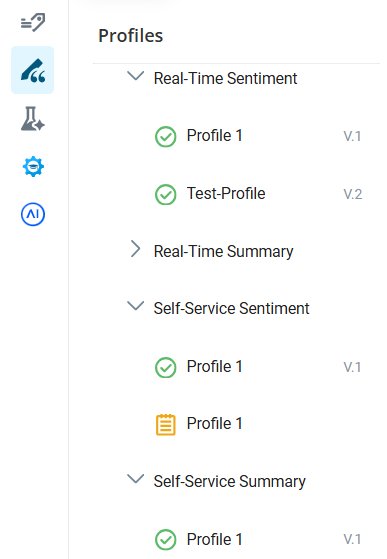
| Customer Request |
|
UI Change |
|
Availability | GA
On deploy |
Extended Wait Time and Improved Messaging for AutoSummary Generation
Previously, Automated Summary (AutoSummary) was expected to generate within 5 to 10 seconds, and the system timed out after 30 seconds if generation took longer.
In this release, you can wait up to 60 seconds for an Automated Summary (AutoSummary) to generate before it times out, giving more complex summaries time to complete successfully. The system automatically retries every 5 seconds after the first 25 seconds elapse. The Notes field in the Outcome Panel continues showing a spinner for up to 60 seconds instead of stopping early.
The waiting message updated to set clearer expectations, letting you know that summaries are typically generated within 5 to 10 seconds but can take longer depending on the interaction length and generation settings.
| Customer Request |
|
UI Change |
|
Availability | GA
On deploy |
Multi-Region Business Continuity Plan (Business Continuity Plan)
Tenant Switching via API
This release introduces a new API to support Multi-Region Business Continuity Plan (Business Continuity Plan) and Disaster Recovery (DR) workflows. The API enables organizations to programmatically activate or deactivate BC/DR tenants and determine which tenant is currently active. This allows customers to integrate BC/DR management into their own operational tools and processes, providing a faster and more controlled way to support failover and failback activities. A Programmatic Connect license is required to use this feature. For complete API documentation, see the Developer Portal.
| Customer Request |
|
UI Change |
|
Availability | GA
On toggle |
Passkey No Longer Required to Switch to Multi-Region Business Continuity Plan (Business Continuity Plan)
Previously, a NiCE CXone account representative had to generate a passkey and give it to the administrator when setting up Multi-Region Business Continuity Plan (Business Continuity Plan). The administrator needed to enter the passkey to switch between the primary and secondary Multi-Region BCP tenants. This process was cumbersome and time consuming.
In this release, switching to the secondary tenant no longer requires a passkey. Instead, a confirmation warning appears when switching between tenants. The administrator must confirm before the switch occurs. Additionally, a new permission is required for any role that can switch between Multi-Region BCP tenants. Together, these changes simplify switching between tenants while still preventing accidental changes.
| Customer Request |
|
UI Change |
|
Availability | GA
On toggle |
Sync Dashboard Enhancements
Managing your Disaster Recovery (DR) environment becomes simpler and more secure. In this release, a status-first filtering experience is introduced on the Sync Dashboard. This update allows you to quickly identify problematic entities. To prevent accidental data overrides, manual synchronization is limited to Failed entities only. You can also multi-select and bulk-sync failed entities, helping reduce remediation time.
Pagination handles large datasets efficiently, while the UI is simplified to display key details upfront. Version details are moved to a pop-up view, and date formatting is enhanced for improved readability. These enhancements ensure a more focused, efficient, and secure workflow for Customer Admins during DR onboarding and failover readiness.
| Customer Request |
|
UI Change |
|
Availability | GA
On toggle |
Additional Components to Sync from Primary to Multi-Region BCP Tenant
To ensure that your Multi-Region BCP tenant stays up to date, you can sync data from your primary to Multi-Region BCP tenant. This also prevents you from manually managing two tenants. However, not all data from the primary tenant is currently supported for synchronization.
In this release, support is added for Standard Address Book, Personal Connection, and Voice Manual Outbound. These features are enabled, and their related entities are automatically synchronized with the secondary tenant.
View data that can be synced
| ACD | Admin | Studio |
|---|---|---|
| Agent Settings (ACD Users) | Roles | Files |
| Business Unit Settings | Teams | Scripts |
| Standard Address Book (coming in 26.3) | Users (Employees) | |
| Personal Connection (coming in 26.3) | ||
| Skills | ||
| Voice Manual Outbound (coming in 26.3) |
| Customer Request |
|
UI Change |
|
Availability | GA
On deploy |
Engagement Hub (Multi-ACD/Open) Disaster Recovery Sync
In this release, Engagement Hub (Multi-ACD/Open) supports Disaster Recovery (DR) and Multi-Region BCP by automatically syncing recording configuration data across AWS regions. Key elements like Telephony Systems, Interfaces, Device Groups, and Devices are copied to a secondary region every 24 hours to ensure readiness during outages. In a failover situation, systems are quickly activated with minimal manual effort to maintain recording operations. The feature also maintains data consistency across regions and requires a Multi-Region BCP DR license to be enabled.
| Customer Request |
|
UI Change |
|
Availability | Preview
On toggle |
Telephony System Enable/Disable Toggle
In this release, administrators can enable or disable 3rd-party telephony systems directly from the NiCE CXone Admin interface using a simple toggle button. This helps during onboarding, maintenance, and Disaster Recovery (DR) scenarios by keeping systems inactive and in standby until fully configured. When disabled, the CTI does not connect, reducing errors and noise. The interface displays clear status indicators and confirmation prompts. Administrators can still be able to manage and update configurations even when systems are disabled. All changes are logged for auditing. This feature supports the integrations with Cisco, Avaya, Genesys, Aspect, and POM.
| Customer Request |
|
UI Change |
|
Availability | GA
On toggle |
Cloud Storage Services
ANI-Based Routing for Multi-Region Storage
Multi-Region Storage (MRS) rules now include Automatic Number Identification (ANI) as a filter. This update enables admins to control where outbound interactions are stored based on the agent’s phone number (ANI). Previously, this was only possible for inbound calls using DNIS. The same logic and validations now apply to ANI, making configuration easier. This update helps large organizations manage and resolve the storage location better, while maintaining the limit of 10 rules per file type for each business unit.
This feature is available for users with Multi-Region Storage enabled in Tenant Management.
| Customer Request |
|
UI Change |
|
Availability | GA
On toggle |
Performance and Retrieval Improvements
The system could not handle a large number of requests efficiently. Because of this, the retrieval page would freeze. This caused business problems, as customers were not able to create new retrieval requests until the old ones were archived.
In this release, the long-term retrieval page is upgraded by adding pagination to help manage large lists of data more easily. Continuous scrolling and automatic sorting in descending order of request date are also introduced, ensuring that the newest requests always appear at the top of the list for faster access.
| Customer Request |
|
UI Change |
|
Availability | GA
On toggle |
Coaching
Support for Multiple Focus Area and Behavior in Coaching Transactional Report
The Coaching Transactional Report is upgraded to support multiple focus areas and behaviors within a single session. This update automatically lists each unique focus area-behavior pair in its own row, ensuring every part of your coaching is accurately tracked and visible. You can filter and export these detailed records without losing any data, while your existing single-focus session reports remain fully compatible. These changes also improve the accuracy of your completion and acknowledgment metrics, giving you a more precise view of your team's development.
This feature is available for users with the Quality Management (CXone) license.
| Customer Request |
|
UI Change |
|
Availability | GA
On toggle |
Accessibility Compliance for Coaching Session in My Zone Pages
NiCE CXone Coaching includes significant accessibility improvements designed to offer a smoother, more inclusive experience for users across a wide range of visual, motor, and cognitive needs.
| Customer Request |
|
UI Change |
|
Availability | GA
On deploy |
AI Agents (Cognigy)
Basic Built-In Speech Services for Voice-Enabled AI Agents (Cognigy)
Basic native Speech-to-Text (STT) and Text-to-Speech (TTS) services are integrated directly into voice-enabled AI Agents (Cognigy). This enhancement provides built-in voice capabilities, eliminating the need for additional service configuration and enabling you to deliver seamless voice interactions more efficiently. For advanced use cases, Bring Your Own (BYO) and Premium speech services are also available.
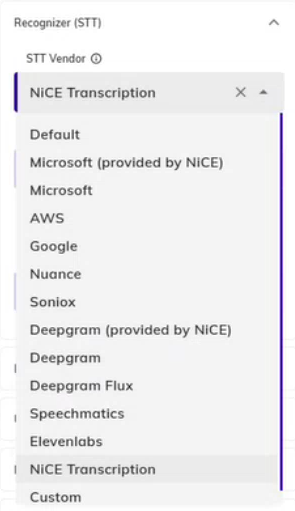
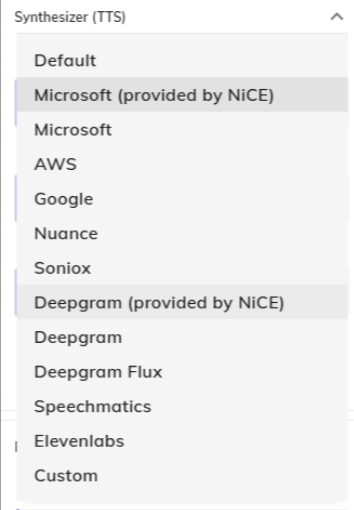
| Customer Request |
|
UI Change |
|
Availability | GA
On deploy |
Premium AI Services Usage, Billing, and Management
Premium Speech-to-Text (STT), Text-to-Speech (TTS), and Large Language Model (LLM) services are available through NiCE CXone. When using these services, you do not need to configure or manage provider-specific API keys. Instead, you can select the desired NiCE CXone premium service from the relevant configuration menus. A new billing and management experience provides visibility into premium service usage and costs. The platform automatically tracks service consumption, calculates associated charges, and includes them in your billing.
This feature will be available later in the release cycle.
| Customer Request |
|
UI Change |
|
Availability | GA
On deploy |
Expanded Regional Deployment Availability
You can deploy AI Agents (Cognigy) services in South Africa region to support data residency and compliance requirements.
| Customer Request |
|
UI Change |
|
Availability | GA
On deploy |
Copilot for Agents
Decision Tree Renamed to Guided Capture
In this release, the Decision Tree element is renamed to Guided Capture. This name change does not affect the element’s existing functionality.
| Customer Request |
|
UI Change |
|
Availability | GA
On deploy |
Rich Text Formatting in Custom Cards
In this release, you can display richly formatted content in Custom Cards using Adaptive Card rendering. Custom cards support bold, italic, underline, strikethrough, hyperlinks, bullet lists, numbered lists, and color and size variations — making it significantly easier for agents to scan and act on knowledge article content. You can:
-
Present Knowledge Hub article content with structured formatting rather than as a plain text string. Headers, step lists, and highlighted terms are rendered as intended, making the content easier to follow during a live interaction.
-
Include clickable hyperlinks within card content so agents can navigate directly to referenced resources without leaving the Copilot panel.
-
Combine multiple text styles within a single card element using rich text formatting, including bold, italic, underline, highlight, and custom color, giving you precise control over how information is emphasized.
This feature uses the Adaptive Card framework already in use for workflow forms and cards. Formatting is applied by configuring the JSON payload that drives the card, giving administrators full control over how card content is presented to agents.
| Customer Request |
|
UI Change |
|
Availability | GA
On deploy |
Duplicate Copilot for Agents Profiles
Previously, there was no way to duplicate or clone an existing Copilot for Agents profile. Creating a new profile that is similar to an existing one required you to manually recreate every configuration setting from scratch, which was time-consuming as profiles grew more complex.
In this release, you can duplicate any existing Copilot for Agents or AI Profile with a single action. The duplicate is created as a new, independent profile with all configured settings copied under a name you provide. You can then modify the duplicate without affecting the original profile.
| Customer Request |
|
UI Change |
|
Availability | GA
On deploy |
Bulk Skill Assignment Import and Export
Previously, skill assignments to AI Profiles were managed individually within the Assignments tab. For tenants with hundreds or thousands of skills, manually assigning skills to profiles was time-intensive and error-prone.
In this release, you can export existing skill assignments from a Copilot for Agents profile as an Excel or CSV file, and import skill assignments in bulk from a file. You can:
-
Export the current skill assignment list, including Skill ID and Skill Name, in Excel or CSV format. Use the exported file as a starting point for making bulk changes or as a record of current assignments.
-
Import a skill assignment file and preview the changes before committing. The preview shows each skill’s ID, name, current profile assignment, and the action that will be taken: Add, Remove, or Ignore.
-
Choose an import mode of Overwrite or Add New Skills. Overwrite removes existing assignments before importing the file. Add New Skills imports only skills not already assigned to the profile.
-
Configure how Copilot for Agents profile conflicts are handled during import. Automatic Override reassigns any conflicting skills to the current profile automatically. Manual Review flags conflicts for your decision before the import is committed.
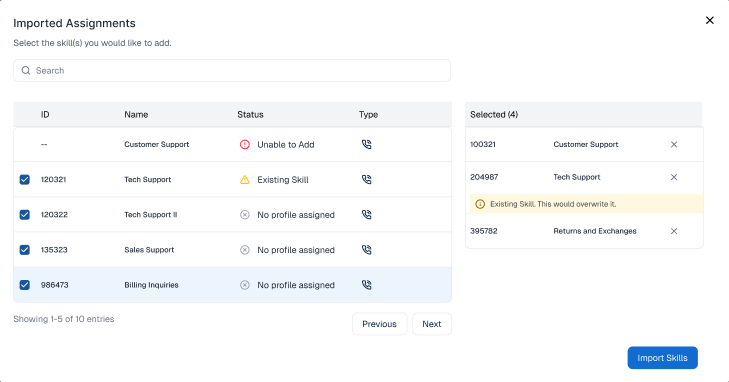
| Customer Request |
|
UI Change |
|
Availability | GA
On deploy |
Hide Copilot for Agents Option
In this release, you can enable a Hide Copilot for Agent setting in the AI Studio Profile that suppresses the Copilot UI entirely while Copilot continues to run in the background. All configured features such as Automated Summary (AutoSummary), custom LLM prompts, and background workflows continue to operate normally. The Copilot panel is not displayed to the agent and Automated Summary (AutoSummary) content is not sent into the Agent Workspace > Outcome Panel > Disposition Notes field.
This setting is useful when Copilot outputs are intended for managerial assessment of Copilot, supervisors, downstream systems, or reporting pipelines rather than the agent directly. Enabling it does not affect any background feature, and all applicable usage fees apply regardless of whether the panel is visible.
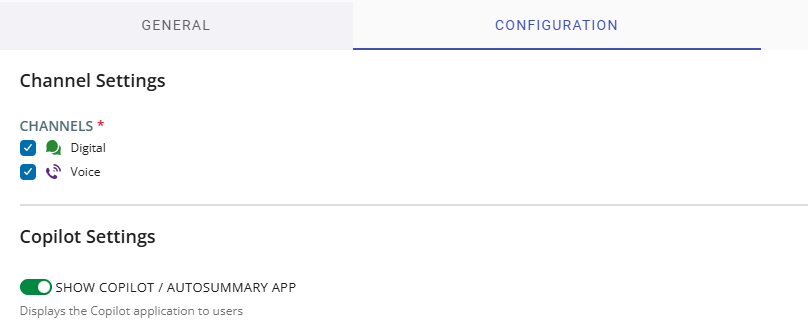
| Customer Request |
|
UI Change |
|
Availability | GA
On deploy |
New Output Languages for Copilot for Agents
In this release, you can configure Copilot for Agents profiles and GenAI Prompts to output in 12 additional language and location combinations, extending the reach of Copilot to more regions and customer populations. The new languages available are:
-
Danish (Denmark)
-
Thai (Thailand)
-
Malay (Malaysia), Malay (Brunei), Malay (Singapore)
-
Indonesian (Indonesia)
-
Tagalog (Philippines)
-
Hindi (India)
-
Catalan (Spain), Basque (Spain)
-
English (South Africa), English (India)
These languages are available in the AI Studio Profile language selector and across all customizable prompt categories in GenAI Prompts, including AutoSummary, Realtime Summary, Realtime Sentiment, Journey Summary, KB Answer, and Customer Prompt categories. Location-specific language combinations are also added to the GenAI Prompts.
| Customer Request |
|
UI Change |
|
Availability | GA
On deploy |
Email Channel Enhancements — Knowledge Hub Support
Copilot for Agents for email was initially released in public preview with limited functionality available only with direct Expert deployments. The current implementation does not support Knowledge Hub response generation, and does not support AutoSummary, Realtime Summary, or Realtime Sentiment for email interactions.
In this release, you can configure and use the full range of Copilot AI features for email interactions, including topic extraction and response generation using Knowledge Hub content, AutoSummary, Realtime Summary, and Realtime Sentiment. You can:
-
Generate email responses using Knowledge Hub content, fully customizable through GenAI Prompts. A loading indicator appears while the response is being generated. Once generated, unanswered customer topics are highlighted in the response so you can supplement the draft before sending.
-
Customize email-specific prompts for five dedicated categories in GenAI Prompts: Email Topics, Email Responses, Email Realtime Summary, Email Realtime Sentiment, and Email AutoSummary. Each category can be assigned independently in the AI Profile.
-
Use interaction context data in email response generation. When supplemental customer data is available, Copilot uses it alongside knowledge base content to inform the response.
-
Rephrase and simplify text within the email response field using the sparkle icon functionality, which continues to work in this implementation.
This feature will be available later in the release cycle.
| Customer Request |
|
UI Change |
|
Availability | GA
On deploy |
Maximum Rules Per Interaction Cap and Priority Ranking
Previously, there was no cap on how many rules could trigger during a single interaction. All matching rules were fired simultaneously regardless of volume, and there was no way to prioritize which rule took precedence when multiple rules matched at the same time.
In this release, you can configure two new controls on the Copilot for Agents profile Rules tab to manage how many rules fire during a single interaction and which rules take precedence when multiple rules match simultaneously. You can:
-
Set a Maximum Rules Per Interaction value on the profile. Once the configured number of rules has triggered during a call, rule evaluation stops for all subsequent utterances.
-
Reorder rules on the profile Rules tab using drag-and-drop. When multiple rules match on the same utterance and the remaining capacity cannot accommodate all of them, the order you define determines which rules fire first.
-
The cap is optional — leaving the field blank preserves the existing behavior where all matching rules trigger without a limit. Rule ordering is scoped to the profile, so the same rule can have a different priority in different profiles.
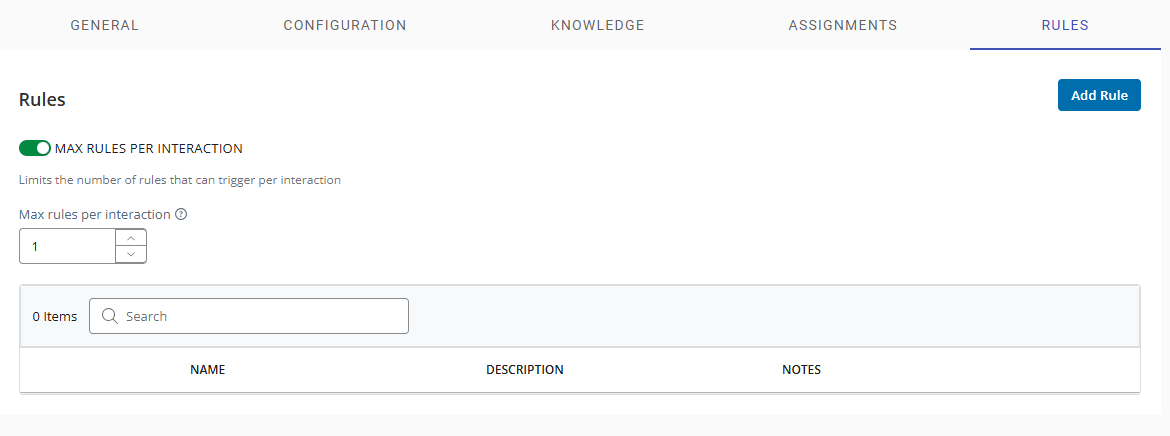
| Customer Request |
|
UI Change |
|
Availability | GA
On deploy |
Trigger Decision Trees Through Rules
Previously, Decision Trees were triggered directly from the Copilot interface without the involvement of Rules. This limited flexibility and meant Decision Trees could not be invoked conditionally based on conversation signals — unlike Text Cards, which could already be triggered through rules.
In this release, you can configure a Decision Tree as a linked action in the Rules. When the rule’s conditions are met, the selected Decision Tree is automatically triggered and rendered to the agent without any manual action required.
This feature brings Decision Trees into the Rule’s trigger-and-action framework, enabling them to launch automatically based on keywords, intent detection, or interaction lifecycle events depending on how the rule is configured.
| Customer Request |
|
UI Change |
|
Availability | GA
On deploy |
PDF Print for Decision Trees
In this release, agents can export completed Decision Trees as a PDF, making it easier to retain records, support audits, and hand-completed workflows over to other teams. As an agent, you can:
-
Print a completed Decision Tree as a PDF after all questions have been answered. The print view displays all sections and answers in a read-only format and includes an option to show or hide questions that were skipped because of pre-conditions.
-
Download the generated PDF to your local machine for record-keeping, audit purposes, or hand it off to another team.
-
Return directly to the submission confirmation screen after closing the print view, allowing you to continue your workflow without interruption.
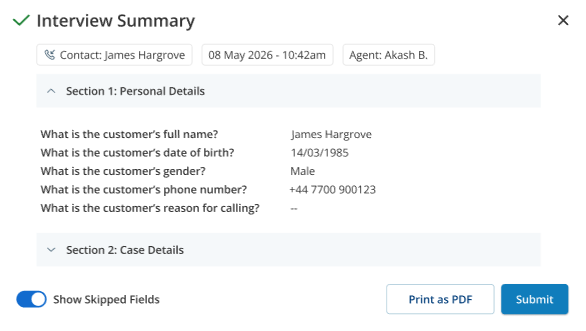
| Customer Request |
|
UI Change |
|
Availability | GA
On deploy |
Copilot for Supervisors
Multi Language LLM-Based Urgent Assist Alert
Urgent Assist detection moves to LLM via Prompt Manager, enabling multi language support. The Urgent Assist reason and interaction summary are displayed in the language configured in the Copilot profile.
Supported languages include English, French, Brazilian -Portuguese, German, Italian, Spanish, Dutch..
When an Urgent Assist alert is triggered for a contact, any existing Negative Sentiment alert for the same contact is automatically removed. The alert includes the Urgent Assist reason and a summary of the interaction when the Alert Insights permission is enabled.
Urgent assist is supported for voice interactions only. This feature requires the Copilot for Supervisors license.
| Customer Request |
|
UI Change |
|
Availability | GA
On toggle |
On Demand Real-Time Summary
You can generate an AI-powered real time summary for any active interaction directly from the Agent and Contact tabs. By selecting Generate Summary from the actions menu, the system generates a summary of the conversation so you can quickly understand the context.
You can configure the summary length as Short, Medium (Default) or Long - and it is generated in the language set in your browser locale. A regenerate option is available to fetch the latest summary at any time.
| Customer Request |
|
UI Change |
|
Availability | GA
On toggle |
Intent-Based Alerts
Copilot for Supervisors supports intent-based real-time alerts in addition to existing phrase-based alerts.
Admins can configure rules based on customer intents, such as "Customer mentions legal action, lawyer involvement, or references ongoing litigation related to the product or service issue", with a defined confidence threshold, eliminating the need to manually specify every keyword variation manually. When a configured intent is detected in a customer's speech during a live interaction and meets the confidence threshold, an alert is triggered in real time, enabling supervisors to Monitor, Join, or Assist the interaction.
This feature requires Copilot for Supervisors, Copilot for Agents, and Rule engine license.
| Customer Request |
|
UI Change |
|
Availability | GA
On deploy |
CRM Ticketing
Export all Ticket Data
Users are able to export Ticket Search results data to CSV or Excel files.
| Customer Request |
|
UI Change |
|
Availability | GA
On deploy |
Dashboard
Intra-week Cache to Improve Dashboard Performance
Dashboards load the last 7 days of data up to 10 times faster using a pre-calculated cache that refreshes every 15–30 minutes. You can select a custom date range of up to the last 7 days, while today’s data remains unchanged.
| Customer Request |
|
UI Change |
|
Availability | GA
On deploy |
Historical Metrics Only for Select Widgets
The Metrics Interval and KPI Trend widgets now support Historical metrics only. Real-time (NRT) and Snapshot metrics no longer appear as selectable options.
| Customer Request |
|
UI Change |
|
Availability | GA
On deploy |
Metric Widgets: Settings Locked Until a Metric is Selected
Metric Widgets feature a guided configuration flow. Once you select at least one metric, Settings unlocks and displays only options that are compatible with your metric selection.
| Customer Request |
|
UI Change |
|
Availability | GA
On deploy |
Widget Relocation and Permission Section Renamed
The Report widget has moved to the Data Insights category, and the Metrics permission section in Admin settings has been renamed to Metrics & Reports for clear navigation and permission management.
| Customer Request |
|
UI Change |
|
Availability | GA
On deploy |
Guide Metrics Updated with New Data Architecture
Guide metrics have migrated to a new data architecture, enabling consistent filtering and view-by granularity across all metrics.
| Customer Request |
|
UI Change |
|
Availability | GA
On deploy |
Metrics Interval Widget: Date Displayed for Hourly and Minute Intervals
When the Metrics Interval widget is set to hourly or minute-level intervals, the date is displayed alongside the time for easier evaluation of multi-day trends.
| Customer Request |
|
UI Change |
|
Availability | GA
On deploy |
Updated Abandon Metrics
Generic Abandon metrics have been redefined to cover all abandon types—Short, Long, Prequeue, Held Party, Outbound, and Expired. Count, time, average, and percentage metrics are consistent, and there is an Abandon Type view-by option in widgets.
| Customer Request |
|
UI Change |
|
Availability | GA
On deploy |
Real-time (NRT) Digital Experience (DX) Contact Metrics Return
Four NRT Digital Experience (DX) contact metrics have returned to the metric selector:
-
New Contacts
-
Open Contacts
-
Pending Contacts
-
Resolved Contacts
| Customer Request |
|
UI Change |
|
Availability | GA
On deploy |
Refusals Metric will Deliver Consistent Results and Accurate Time Context
The Refusals metric delivers consistent results across Agent and Skill views. When interval-type widgets are set to hourly or minute-level intervals, the date is displayed alongside the time for easier evaluation of multi-day trends.
| Customer Request |
|
UI Change |
|
Availability | GA
On deploy |
New Agent Adherence Variance Widget
The new Agent Adherence Variance widget shows a scatter plot of each agent’s Adherence % vs. Scheduled Time, color-coded by range with a median line to quickly identify outliers.
This feature requires a WFM license.
| Customer Request |
|
UI Change |
|
Availability | GA
On deploy |
New Out-of-Adherence (OOA) Cause Widget
The new Out-of-Adherence (OOA) Cause widget uses a treemap to reveal what agents are doing during out-of-adherence periods. Each segment represents an activity, sized by occurrence count or percentage of OOA time, helping WFM Managers and Supervisors understand the drivers behind adherence deviations.
This feature requires a WFM license.
| Customer Request |
|
UI Change |
|
Availability | GA
On deploy |
Updated WFM Adherence Report
Legacy report grids on the Adherence Report have been replaced with modern widgets for a consistent design, better performance, and improved usability.
This feature requires a WFM license.
| Customer Request |
|
UI Change |
|
Availability | GA
On deploy |
View Forecasted Intraday Data on the Dashboard
WFM Managers can use metric widgets to view forecasted intraday data for future dates directly on the dashboard.
| Customer Request |
|
UI Change |
|
Availability | GA
On deploy |
New Landing Page for Usage and Billing Reports
The new Usage Report landing page provides easy access to the following Usage and Billing reports:
-
Users Usage
-
Agents Usage
-
Ports Usage
-
Personal Connection Usage
| Customer Request |
|
UI Change |
|
Availability | GA
On deploy |
Accurate Last Login Values on Agent List Report
The Last Login field on the Agent List Report shows an agent’s most recent login from the past 30 days. If no sessions are recorded within the 30-day window, a null value is displayed instead of a misleading timestamp so activity can be tracked accurately.
| Customer Request |
|
UI Change |
|
Availability | GA
On deploy |
Administrator Access Control for New ACD and QM Reports
Updated permissions allow administrators to grant or restrict access to new ACD and QM reports.
| Customer Request |
|
UI Change |
|
Availability | GA
On deploy |
New Quality Plan Distribution Visibility Report
The new Quality Plan Distribution Visibility Report provides distribution insights at the plan, evaluator, and interaction levels, giving clear visibility into quality plan lifecycles, distribution behavior, and workload outcomes.
| Customer Request |
|
UI Change |
|
Availability | GA
On deploy |
Updated Filter Configuration in Activity Audit Report
The Activity, Entity, and Application filter fields of the Activity Audit Report appear in Settings before you run the report. Filters are applied to the initial report output, resulting in more efficient queries.
| Customer Request |
|
UI Change |
|
Availability | GA
On deploy |
Increased Data Export Capacity for Select Widgets
Export limits for the Quality Evaluation and Report widgets increase from 10,000 to 100,000 records, allowing you to export larger datasets in a single operation. Only one export runs at a time to prevent duplicates, and you receive a notification if the data exceeds the export limit.
| Customer Request |
|
UI Change |
|
Availability | GA
On deploy |
Cognigy AI Metrics Phase II
New Cognigy AI metrics are available on the dashboard. These metrics help you monitor self-service performance and begin unifying AI and agent insights across NiCE CXone. More metrics will follow in later releases.
This feature requires a Cognigy AI Integration license.
| Customer Request |
|
UI Change |
|
Availability | GA
On deploy |
Dashboard Migration Tools
Automated inventory scanning, parity analysis, and user-initiated migration tools allow users to scan, analyze, and migrate Legacy User Hub dashboards into NiCE CXone Dashboard with minimal effort.
| Customer Request |
|
UI Change |
|
Availability | GA
On deploy |
Accessibility Improvements
NiCE CXone Dashboard includes significant accessibility improvements designed to offer a smoother, more inclusive experience for users across a wide range of visual, motor, and cognitive needs.
| Customer Request |
|
UI Change |
|
Availability | GA
On deploy |
Data Share
AI Agent Analytics in NiCE CXone Data Share
NiCE CXone Data Share includes Cognigy AI interaction analytics, enabling you to access AI agent performance data directly in your Snowflake environment. New metrics cover four key areas: Intent Analytics (Average Intent Score, Max Intent Score, Top Intents, Intents by Score Range), Goal & Task Performance (Completed, Partially Completed, and Incomplete Goals, Top Tasks Reached, Top Slots), Business Impact (Total Time Saved, Cost Savings, Revenue Earned — both aggregate and per goal), and Escalation & Containment (Handover Rate, Handovers by Time of Day, Average First Response Time, Average Resolution Time). This is available for both CXone-routed and standalone Cognigy AI deployments with no changes to your existing Data Share setup.
| Customer Request |
|
UI Change |
|
Availability | GA
On deploy |
Auto Score Data Available via Data Share
Auto Score data from NiCE CXone Quality Management is available through Snowflake Data Share.
Within the NiCE CXone Quality Management (QM) framework, automated scoring evaluates each interaction segment or ticket against defined scorecards, capturing overall quality outcomes to support performance tracking across the contact center. These results are further broken down by individual evaluation criteria — such as empathy or product knowledge — providing supervisors and quality analysts with granular insight into agent performance. Metadata associated with each interaction segment submitted for automated scoring is also retained, ensuring full traceability of the scoring process. Together, these data points drive quality management reporting, supervisor dashboards, and downstream analytics to continuously monitor and improve contact center performance.
| Customer Request |
|
UI Change |
|
Availability | GA
On deploy |
NiCE CXone Data Share for Recording Segment Data
NiCE CXone Recording customers can access their interaction and segment metadata including segment identifiers, timestamps, interaction duration, channel, direction, recording status, hold details, disposition, business data tags, and recording alerts through Data Share. Data Share complements, rather than replaces, the existing Data Extract API, and covers interaction metadata only, it does not include audio or screen recording media files.
| Customer Request |
|
UI Change |
|
Availability | GA
On deploy |
Engagement Analytics Now Available in Data Share
Engagement dimension data, including call-to-action, engagement rule, and engagement type dimensions is available directly in Suite Views. Visit Activity, Visit Conversion, and Visit Fact views are updated to include engagement level data.
You can analyze digital engagement data alongside visit and conversion metrics in a single, unified reporting experience. This makes it faster and easier to build dashboards and gain insights into your digital engagement performance.
| Customer Request |
|
UI Change |
|
Availability | GA
On deploy |
Desktop Discovery
Configuration Manager Audit Trail
A new audit trail feature for Configuration Manager allows administrators and supervisors to track all user-initiated changes to configuration files. This update provides full visibility into when configurations are created, modified, or assigned to teams, including detailed "before and after" values for changed parameters.
| Customer Request |
|
UI Change |
|
Availability | GA
On deploy |
Terminal Data Collection Configuration
Administrators can configure terminal emulator processes for data collection directly within the Desktop Discovery Configuration Manager. This new section allows for the management of multiple terminal definitions, including process names, HLLAPI DLL paths, and screen title capture settings. See Configuration Update
| Customer Request |
|
UI Change |
|
Availability | GA
On deploy |
Node Watch Enhancements
-
Administrators and Supervisors can remotely adjust log levels for Desktop Discovery agents directly from the Node Watch. This feature allows for real-time troubleshooting and configuration updates without requiring manual intervention on individual agent machines.
-
Administrators and supervisors can view and download troubleshooting logs for the Desktop Discovery Client directly from the Node Watch. This feature streamlines the support process by providing immediate access to client logs stored securely in S3 without requiring manual intervention from the end user.
See Node Watch.
| Customer Request |
|
UI Change |
|
Availability | GA
On deploy |
Synthetic Activity Detection
Desktop Discovery includes the ability to detect synthetic input generated by idle-prevention tools, such as mouse jigglers or software-based simulators. This enhancement provides more accurate visibility into genuine agent activity by distinguishing between human interactions and automated movements. See Data Collection.
| Customer Request |
|
UI Change |
|
Availability | GA
On deploy |
Enhanced Message Integrity Protection
To ensure the highest level of data security, Desktop Discovery includes a checksum verification process for message files stored on disk. This feature automatically detects and prevents the transmission of any files that have been manually altered or tampered with, ensuring only authentic data reaches the server. The tampered files are stored in a dedicated folder for further review. See Data Collection.
| Customer Request |
|
UI Change |
|
Availability | GA
On deploy |
Desktop Discovery Application Settings Enhancements
-
The Application Settings page includes updates to improve performance and clarity when managing large volumes of data. These changes introduce new item counters for better visibility into total applications and associated assets, along with optimized selection limits to ensure a smooth and responsive experience.
-
Users can create new applications and manage URL or caption patterns directly from the Application Settings page. This update introduces a streamlined workflow for adding manual applications and context-aware options to quickly extend existing application definitions with wildcards.
See Application Settings.
| Customer Request |
|
UI Change |
|
Availability | GA
On deploy |
Digital Experience (DX)
Digital Skills Required for All Digital Interactions
All digital interactions now require a digital ACD skill. Previously, the requirement for digital skills was enabled on a per-tenant basis. In this release, this requirement is enabled for all tenants.
To support this, a new Default Digital Skill is available in your ACD skill list. The system uses it if no other digital skills are available. The default skill cannot be edited or deleted and does not appear in the ACD skills bulk upload template.
Digital skills have a new field on the Details tab called Is Default Skill. You don't need to select this option when creating other digital skills. Its purpose is to let you know which skill is the default digital skill.
This change does not impact your existing digital ACD skills or scripts. If your scripts are configured to use other digital ACD skills, that does not change and they will continue to work as expected.
| Customer Request |
|
UI Change |
|
Availability | GA
On deploy |
Timestamp For Message Draft Approval or Rejection
Draft Message History Retrieval API now includes date and time stamps for every approval or rejection action. This enhancement allows you to maintain a complete audit trail for compliance and regulatory requirements by tracking exactly when a supervisor or administrator took action on a message draft.
For drafts approved or rejected before this update, the timestamp value is null.
| Customer Request |
|
UI Change |
|
Availability | GA
On deploy |
Agent State While Working on Manual Outbound Interactions
Previously, when an agent handled manual outbound interactions such as an email message, and wasn't handling any other digital interactions, their state did not change to Working in the agent application or in Supervisor Workspace (Supervisor). If the agent had other active digital interactions, their state correctly showed that they were working.
In this release, the agent state accurately reflects that the agent is working on an interaction. This allows supervisors to accurately assess the state of each of their agents.
This feature is currently part of a public preview program and requires a feature toggle to be enabled.
| Customer Request |
|
UI Change |
|
Availability | Preview
On toggle |
Skill-Based Assignment for Customer Contact Forms
Administrators can now assign customer contact forms directly to specific skills rather than being limited to channel-level assignments. This update ensures that agents automatically see the most relevant custom fields and data entry options based on their specific line of business or expertise, even when interactions are transferred across different teams.
This feature is currently part of a public preview program and requires a feature toggle to be enabled.
| Customer Request |
|
UI Change |
|
Availability | Preview
On toggle |
Audit History for Digital
Users can track configuration changes made to digital Points of Contact through a new Audit Trail capability. This enhancement automatically tracks all create, update, and delete actions, capturing essential details such as the modified field, previous and new values, the user responsible, and the timestamp. Administrators can access these historical logs directly within the Activity Audit and Change Audit History reports located under Reporting > Pre-built Reports > BI Reports. This feature is available on deployment for all tenants with the CXone Dashboard and Prebuilt Reports license enabled.
| Customer Request |
|
UI Change |
|
Availability | GA
On toggle |
Mandatory Custom Field Enforcement in Agent Workspace
Agents using Agent Workspace are now required to complete all mandatory custom fields before resolving or closing a digital contact. This update ensures that required data is consistently captured across all agent interfaces, improving data accuracy and streamlining post-contact workflows.
| Customer Request |
|
UI Change |
|
Availability | GA
On toggle |
Auto-Save Secure Form Results to Contact Custom Fields
Responses submitted through secure forms are automatically saved to the corresponding contact custom fields eliminating the need for manual data entry. Previously, agents had to manually copy secure form data into custom fields, introducing risk of errors or missed entries. This change ensures form data is captured consistently and immediately upon submission, improving data accuracy and reducing agent effort.
| Customer Request |
|
UI Change |
|
Availability | GA
On toggle |
New Limits for Customer Card Notes
A limit of 250 notes per customer card and 5,000 characters per note is introduced.
Once enabled:
-
Customer cards that already have more than 250 notes have their oldest notes permanently deleted the next time any new note is added. This cannot be undone.
-
Agents attempting to save a note longer than 5,000 characters receive an error and must shorten the content before saving.
-
Existing notes over 5,000 characters remain readable but cannot be edited unless the content is reduced to within the limit.
Action Required: Before this feature is enabled on your account, review customer cards with high note volumes. If historical notes are critical for compliance or business records, export or archive them in advance. Please contact your NiCE CXone account representative if you need assistance identifying affected records.
| Customer Request |
|
UI Change |
|
Availability | GA
On toggle |
File-Path URIs in Attachment Downloads Blocked
Customer Impact (Security Change)
As a security measure, any attachment download request that uses a file:// URI (local file path) is automatically blocked and flagged as a potential security threat. This prevents malicious attempts to access internal server files through the attachment download mechanism.
Action Required: If any of your integrations, bots, or automation scripts use file:// URIs when referencing attachments, these requests will fail after this change is enabled. Review your integration configurations and ensure all attachment references use standard https:// URLs. Contact your NiCE CXone account representative if you need assistance.
| Customer Request |
|
UI Change |
|
Availability | GA
On deploy |
Attachment Downloads to Private/Internal IP Addresses Blocked
Customer Impact (Security Change)
Outbound attachment download requests that resolve to private or internal IP address ranges (For example, 10.x.x.x, 172.16.x.x, 192.168.x.x) are automatically rejected. This is a server-side request forgery (SSRF) protection measure that prevents the platform from being used to access internal infrastructure.
Action Required: If your environment routes attachment downloads through an internal proxy, on-premises gateway, or private network endpoint that falls within these IP ranges, those requests fail. Please review your network configuration and ensure attachment endpoints are reachable via public IP addresses. Contact your account team if this impacts your current setup.
| Customer Request |
|
UI Change |
|
Availability | GA
On deploy |
Workflow Automation Infinite Loop Prevention
A new safety guard is introduced to prevent a known misconfiguration in Workflow Automation (WFA) that causes an infinite processing loop. Specifically, a WFA rule that uses a BeforeCaseClosed trigger combined with a ChangeCaseStatus job targeting a closed status is now silently blocked from executing when the feature is enabled.
Previously, this combination caused the rule to trigger itself repeatedly, resulting in system instability and potential performance impact. Now, affected rules stop executing without raising an error.
Action Required: If you have WFA rules configured with a BeforeCaseClosed trigger and a ChangeCaseStatus job set to a closed status, those rules do not run after this update. Review your WFA configurations and reconfigure any rules that were relying on this combination. If you are unsure whether your account is affected, contact your NiCE CXone account representative for assistance prior to the 26.3 release.
| Customer Request |
|
UI Change |
|
Availability | GA
On toggle |
Data Policies for Digital Data
You can now manage data policies for Digital Experience (DX) data directly within Interactions Hub. This allows you to apply policies like Time to Live (TTL) and archiving in a single location, helping you maintain compliance with security and data retention standards such as GDPR, CPRA, and PCI.
To set up data policies, you must have Cloud Storage Services and Interactions Hub enabled in your NiCE CXone system.
| Customer Request |
|
UI Change |
|
Availability | GA
On toggle |
Enhanced OAuth Outbound Authentication for Microsoft Graph
Digital Email has simplified the setup of Microsoft Graph for outbound email by adding support for client certificate authentication and the Client Credentials grant type. These enhancements reduce administrative overhead by minimizing manual consent steps and eliminating the need for periodic client secret renewals. This provides a more secure and streamlined authentication experience for Microsoft Graph integrations.
| Customer Request |
|
UI Change |
|
Availability | GA
On deploy |
Improved Reply-To and From Address Handling for Digital Email Channels
Digital Email channels now support enhanced email routing and address handling for scenarios where the sender ("From") and reply ("Reply-To") addresses differ. These improvements help ensure replies are routed more accurately, improve email address validation, and provide more consistent experience for agents managing customer conversations.
This optional feature can be enabled for your business unit to provide more accurate customer identification and a streamlined communication experience for your agents.
| Customer Request |
|
UI Change |
|
Availability | GA
On toggle |
Standardized Email Threading for External Clients
Outbound email replies sent through DX Email now include RFC 5322-compliant email headers, including In-Reply-To and References. This enhancement helps external email clients such as Microsoft Outlook and Gmail correctly group related messages into a single conversation thread, improving email continuity for recipients.
No additional configuration is required. This enhancement is automatically enabled upon deployment.
| Customer Request |
|
UI Change |
|
Availability | GA
On deploy |
New Options for SMS Channels
You can now create digital SMS channels that use Sinch and Vonage as the SMS provider. The channels can handle inbound and outbound interactions.
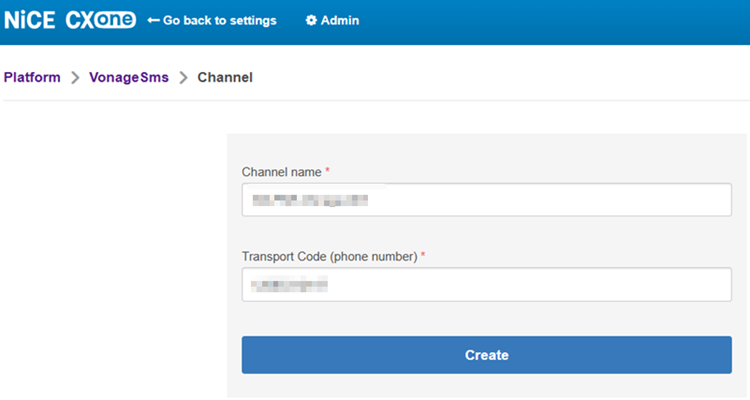
| Customer Request |
|
UI Change |
|
Availability | GA
On deploy |
Apple Messages for Business Form Messages on Non-Compatible Devices
Previously on Apple Messages for Business channels, forms are sent as a single message that contains all of the form fields. The contact completes the form and the system returns the form response as a single message.
In this release, on devices that don't support Apple Messages for Business form messages, the form is now sent as a series of separate messages. Each field or question on the form is sent separately. The next field or question is not sent until the contact answers the preceding field or question.
The system will notify the contact as part of the chat that a form message is starting and given instructions. The system will also notify the agent in the agent application that the contact is on a non-compatible device and given instructions about what will happen. Agents should not send other messages to the contact until the form completes.
| Customer Request |
|
UI Change |
|
Availability | GA
On deploy |
Typing Indicators on Apple Messages for Business Chats
Previously, the contact only saw typing indicators when the agent was actively typing. If the agent sent a quick response or a different response that didn't involve typing, the agent's message appeared in the chat application without a typing indicator.
In this release, typing indicators are displayed for all messages on channels that support typing indicators, even if the agent doesn't type anything before sending the message. This change only affects interactions between contacts and human agents using Agent Workspace (Agent).
| Customer Request |
|
UI Change |
|
Availability | GA
On deploy |
LinkedIn Posts and Mentions Fetched in Near-Real Time
Previously, public comments and replies on your organization's posts on LinkedIn refreshed in NiCE CXone once a day. In this release, they sync in near-real time. Agents can see and respond to LinkedIn activity more quickly, improving the efficiency of managing interactions on this channel.
| Customer Request |
|
UI Change |
|
Availability | GA
On deploy |
Delete Messages by API with Bring Your Own Channel (BYOC)
You can add the ability to delete messages from your BYOC channel. To do this, you need to update your channel to support delete by changing the hasAbilityToDelete parameter of the POST /channels endpoint to True. Next, you must update your middleware to accept and process the delete request from the NiCE CXone Digital Experience (DX) APIs, similar to other calls NiCE CXone makes to your middleware. The platform will send the request as follows:
DELETE /1.0/channel/:channelId/messages/:messageIdOnExternalPlatform
{
  "brand": {brandView},
  "thread": {threadView}
}| Customer Request |
|
UI Change |
|
Availability | GA
On deploy |
BSUID Support in WhatsApp
In this release, the Meta Business Scope User ID (BSUID) is used as the backend identifier that Digital Experience (DX) uses for WhatsApp contacts. This change prepares NiCE CXone for future support of WhatsApp user names, which Meta will enable for their users in the near future. With the introduction of user names, contacts who prefer not to use their phone numbers to interact with your organization will be able to use their user name instead. Users will be able to change their WhatsApp user names, but their BSUID will not be able to be changed to allow for continuity of threads with unique contacts even if their user names change.
| Customer Request |
|
UI Change |
|
Availability | GA
On deploy |
Digital Chat User Interface Enhancements
Several UI enhancements are introduced to Digital Chat channels, including clearer queue counters, a new notification sound for incoming messages, unified menu navigation, updated avatar behavior, and smooth animations. These updates also include enhanced image viewing capabilities to provide a more intuitive and professional interaction for your patrons.
| Customer Request |
|
UI Change |
|
Availability | GA
On deploy |
AI Interaction Transparency for Digital Chat and Mobile SDK
To support compliance with the EU AI Act, both Digital Chat channels and the Mobile SDK now include a visual indicator to notify patrons when they are interacting with an AI-powered bot. This feature provides clear transparency during automated conversations and automatically updates if the chat is handed over to a human agent.
This feature will automatically be enabled for customers in the EU. For customers outside the EU, it is optional and can be enabled in Chat Settings.
| Customer Request |
|
UI Change |
|
Availability | GA
On deploy |
Enhanced Agent Privacy Control
New privacy settings are introduced for the Mobile SDK that allow organizations to hide sensitive agent information, such as names and avatars, during active chat sessions. These controls help protect agent identity by replacing real-time data with generic placeholders.
| Customer Request |
|
UI Change |
|
Availability | GA
On deploy |
Explicit OAuth Authentication Mode
The Mobile SDK supports OAuth authentication by token delegation. Your application already holds a valid access token and provides it to the SDK directly, without the SDK performing a token exchange.
Google will replace Login with Amazon as the reference OAuth provider for both modes. If you use the current Login with Amazon–based flow, your developers need to migrate to the new model. Migration guidance is included in the SDK documentation.
| Customer Request |
|
UI Change |
|
Availability | GA
On deploy |
Enhanced Strategic Planner
Migration to NiCE CXone Cloud
All ESP customers are migrated from the WCX cloud (North America) to the NiCE CXone cloud (North America).
| Customer Request |
|
UI Change |
|
Availability | GA
On deploy |
Feedback Management
Accessibility Improvements
This release introduces the first phase of accessibility improvements in Feedback Management. Keyboard navigation and visual accessibility have been enhanced by improving focus indicators and color contrast in selected areas of the application. These improvments are designed to offer a smoother, more inclusive experience for users across a wide range of visual, motor, and cognitive needs. Additional accessibility improvements are planned for future releases.
| Customer Request |
|
UI Change |
|
Availability | GA
On deploy |
Export API
A new set of APIs has been added to the Developer Portal to help build and maintain integrations with Feedback Management. Users are able to programmatically retrieve invitation and response data in bulk, as well as access survey metadata, reducing manual work and keeping reporting pipelines up to date automatically.
| Customer Request |
|
UI Change |
|
Availability | GA
On deploy |
Speech-to-Text for FedRAMP and Sovereign Cloud
Users in a regulated or sovereign environment are able to capture verbatim feedback from IVR surveys using a Speech-to-Text engine that processes entirely in-region. The Analytics Hub engine keeps all transcription under strict data residency controls, so your verbatim data never has to leave your regulated environment to be processed. This feature is available in multiple languages.
| Customer Request |
|
UI Change |
|
Availability | GA
On deploy |
General Availability for Feedback Management Text Analytics
From this release, the native Feedback Text Analytics engine is generally available providing in-platform topic classification and sentiment analysis of survey comments. Organizations in Sovereign Cloud or FedRAMP environments are able to use Feedback Text Analytics without any customer comment data leaving the regulated environment.
| Customer Request |
|
UI Change |
|
Availability | GA
On deploy |
Import for Legacy Hierarchy Transition
Users of the legacy Hierarchical Data Access configuration are able to manage hierarchy during the transition to Advanced Data Access. The new Hierarchy Import means you do not need to freeze your hierarchy while you migrate; you can continue updating it via import file until you are ready to complete the move.
| Customer Request |
|
UI Change |
|
Availability | GA
On deploy |
Retirement of the Legacy Data Access Hierarchy Page
In this release, the legacy Hierarchical Data Access configuration will be deprecated. Customers are advised to migrate to Advanced Data Access before the end of 2026. The new Hierarchy Import will allow you to keep your hierarchy up to date during the transition.
| Customer Request |
|
UI Change |
|
Availability | GA
On deploy |
Migration to eCharts
As part of a platform maintenance update, all charts are migrating to a new platform. The underlying data, calculations, and all functionality are unchanged. You may notice minor visual refinements in some charts.
| Customer Request |
|
UI Change |
|
Availability | GA
On deploy |
Skip and Opt-Out History Page Enhancements
The Skip and Opt-Out History page has been renamed to Opt-Out History. The Opt-Out History page focuses exclusively on reviewing and managing contacts who have opted out of all survey communications.
| Customer Request |
|
UI Change |
|
Availability | GA
On deploy |
GenAI Prompts
Enhanced Transcript-Based Testing and Time-Aware Evaluations
In this release, the GenAI Prompts has a set of targeted enhancements designed to improve testing precision and support more advanced quality management use cases.
In this release for Quality Management AutoScore only, you can leverage transcript timestamps included in the data passed to the LLM, enabling prompts to assess time-sensitive behaviors—such as whether an agent completed a required action within a specified time frame during the interaction. For example, you can create prompts that assess questions such as:
-
Did the agent greet the customer within the first 25 seconds?
-
Was the compliance disclaimer delivered within the first minute of the call?
-
How long did it take the agent to acknowledge the customer's issue?
The inclusion of transcript timestamps expands the ability of Quality Management AutoScore to support evaluations that depend on time-bound criteria.
In this release, timestamp support is available at the back-end level and is included in the context provided to the LLM. Visual timestamp representation within the GenAI Prompts interface will be introduced in a future release.
| Customer Request |
|
UI Change |
|
Availability | GA
On deploy |
LLM Deprecation Warnings and Prompt Template Migration
Previously, when a language model was deprecated, customers received no proactive warning within the product.
In this release, you can see proactive deprecation indicators directly within the AI Studio interface. Warning messages appear when you are using a model that is scheduled for or has already reached deprecation. Deprecated models are identified by a dedicated icon in the LLM list, making it easy to scan for models that require attention.
A migration path is provided to help you move existing prompt template versions to a supported replacement model, reducing the risk of service disruption when a model reaches end of life.
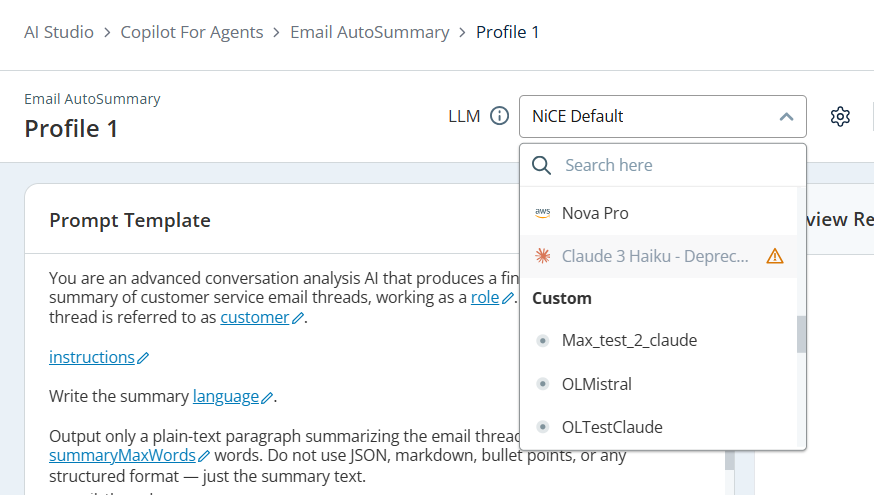
| Customer Request |
|
UI Change |
|
Availability | GA
On deploy |
Multi-Language Support for GenAI Prompts
In this release, GenAI Prompts supports multiple user interface languages, enabling users to interact with the GenAI Prompts in their preferred language. You can:
-
View and navigate the GenAI Prompts using a supported language of your choice.
-
Create, manage, and test prompt configurations in a more familiar and accessible user experience.
-
Improve collaboration across global teams by providing a consistent experience regardless of language preference.
This enhancement makes GenAI Prompts more accessible for multilingual teams and helps users work more efficiently in their preferred language.
| Customer Request |
|
UI Change |
|
Availability | GA
On deploy |
LLM Manager
Previously, GenAI Prompts profiles were tied to a fixed set of platform LLMs with no visibility or control over which models were available, their status, or their cost tier.
In this release, you can view the language models available in your GenAI Prompts profiles from a new LLM Manager. The LLM Manager is accessible through the Settings icon in the GenAI Prompts header. It gives you a central place to see all available models and understand their status. You can:
-
View all available models in a table. The table shows the model's name and type label such as Out of the Box, Premium, or Custom LLM. It also shows the model identifier, the provider such as AWS Bedrock, Anthropic, or Mistral AI, the current status which can be Default, Active, Deprecated, or End of Life, and actions to Edit, Delete, or Set as Default.
-
Choose which LLM powers each of your GenAI Prompts profiles.
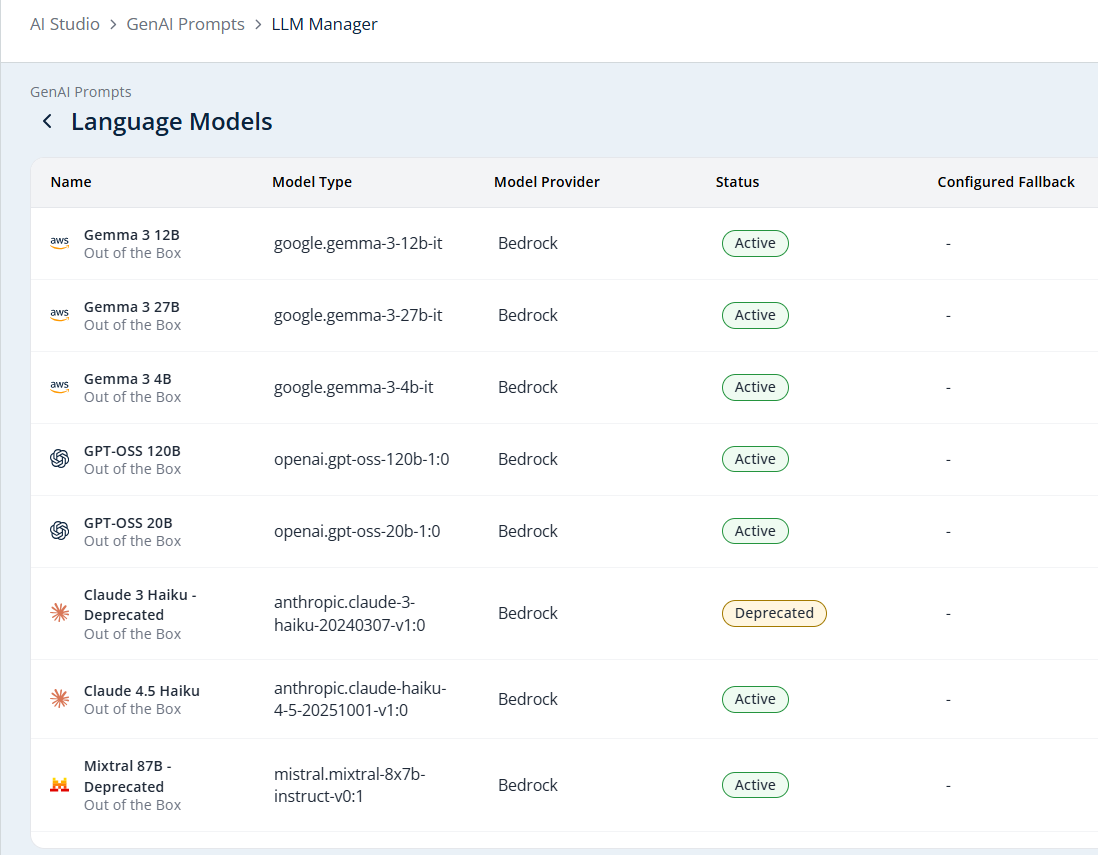
| Customer Request |
|
UI Change |
|
Availability | GA
On deploy |
Support for More Copilot for Agents Prompt Use Cases
You can use GenAI Prompts to customize more prompts in Copilot for Agents. These include:
-
Self Service Summary: Controls the AI prompts Copilot for Agents uses to generate a summary of the customer's self-service (AI Agents (Cognigy)) session, letting you customize its max length, language, and instructions.
-
Self Service Sentiment: Controls the AI prompt Copilot for Agents uses to classify the customer's sentiment during their self-service (AI Agents (Cognigy)) session, letting you customize the customer label, max length, language, and instructions.
Guide
Per-Rule Time Zone Configuration
Previously, rule evaluation in Guide used the tenant-level time zone for all conditions. For organizations operating across multiple regions, this created significant configuration overhead. A rule intended for a call center in Dubai, for example, had to be duplicated and rewritten in terms of the tenant's time zone, often requiring two or three rule variations to represent what should be a single, straightforward schedule.
In this release, you can assign a dedicated time zone to each rule directly from the Rules Configuration page. When you set a time zone on a rule, all time-based conditions within that rule including shifts, dates, holidays, and day-of-week checks are evaluated using that rule's time zone rather than the tenant default. You can:
-
Select a time zone for any rule from a dropdown on the Create Rule or Edit Rule page. The dropdown uses standard IANA time zone identifiers such as America/New_York or Asia/Manila, so you can precisely match each rule to the region it serves.
-
Rely on your existing rules continuing to behave exactly as before. Any rule without an explicit time zone assigned automatically falls back to the tenant time zone, preserving full backward compatibility.
-
See the assigned time zone clearly displayed in the rule editor, so you always know which region's clock governs a rule's evaluation. A tooltip guides you through what the setting controls.
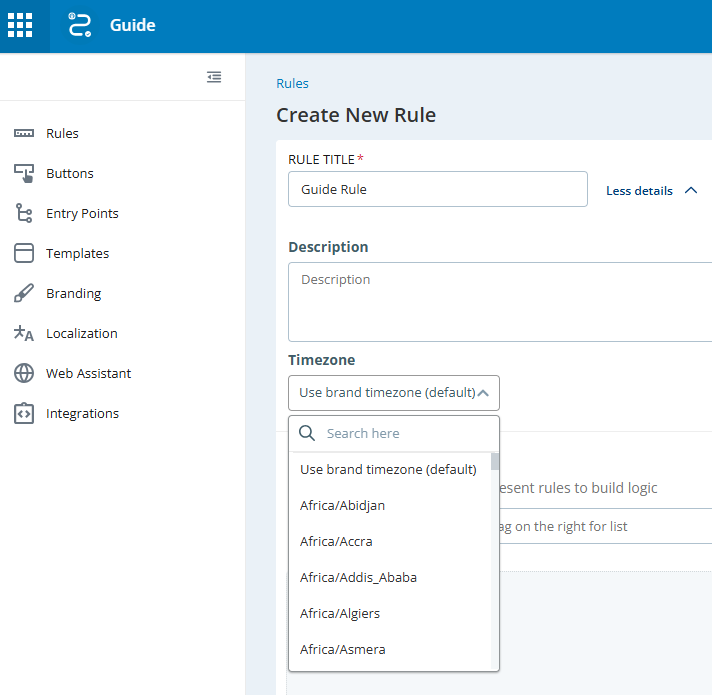
| Customer Request |
|
UI Change |
|
Availability | GA
On deploy |
Web Page Element Content Condition
Previously, the ability to check whether a specific element on a web page contained a particular string was available only in the legacy version of Guide. Customers who had migrated to the current Guide version did not have access to this condition type, limiting their ability to target visitors based on the text content of page elements.
In this release, you can create rule conditions that check whether a specific element on a web page contains a particular string. This allows you to target visitors based on what they see and interact with on your site, for example, showing a proactive offer, applying a tag, or triggering any other rule-based action relevant to that group. As with other page-content conditions, you must map the relevant elements using the Web Assistant Plugin.
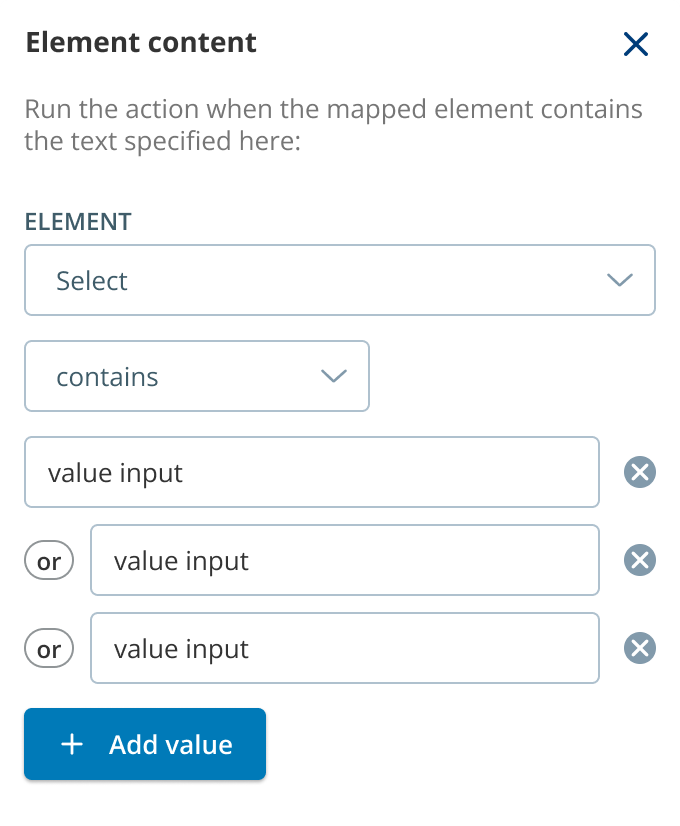
| Customer Request |
|
UI Change |
|
Availability | GA
On deploy |
Restoration of Page View and Visitor Location Data Streams
Previously, page view events and visitor location data including country, general location, and IP address were not sent to the data lake. This data was removed in the previous release due to storage concerns.
In this release, all page view events will be restored to the data lake streams. Visitor location data, including IP address, location, and country, will also be restored. Specific data field definitions will be finalized as part of this release.
| Customer Request |
|
UI Change |
|
Availability | GA
On deploy |
Advanced Date and Time Conditions
In this release, you can define more precise schedules for your rules by including or excluding specific recurring dates and date ranges. This enhancement helps you automate rule behavior for holidays, seasonal events, and other recurring annual occurrences without having to manually enable or disable rules each year.
With the new Recurring Date & Time condition, you can create recurring annual schedule exceptions and restrictions, such as the following:
-
Exclude a recurring holiday from a weekly schedule: Configure a rule to run Monday–Friday, 8:00 AM –5:00 PM, except every July 4.
-
Exclude recurring date ranges: Configure a rule to run year-round, except December 24–26 each year.
-
Apply schedules to recurring days within a date range: Configure a rule to run every Saturday between July 1 and August 31, recurring annually.
In this release, the following scenarios are not supported:
-
Multiple dates or date ranges within a single condition for example, July 4 and December 24, or every January and every March. To achieve this behavior, you will need to create multiple conditions.
-
Holidays with shifting dates, such as Thanksgiving (the fourth Thursday of November) or other moveable holidays.
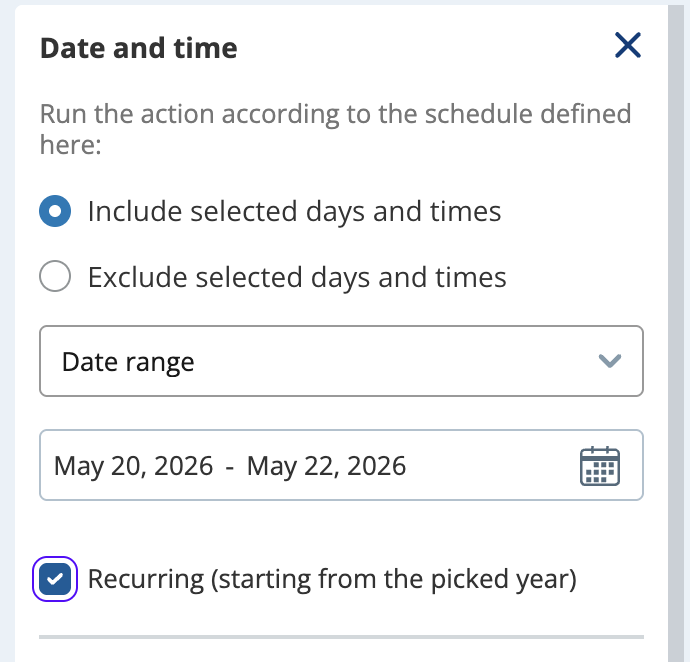
| Customer Request |
|
UI Change |
|
Availability | GA
On deploy |
Interaction Analytics (CXone)
Skill ID Filter for Analyzed Interaction Segments API
The Analyzed Interaction Segments API now supports filtering by Skill ID in addition to the existing date filter. This enhancement allows users to retrieve only those interaction segments that match both the specified Skill ID and date range, providing more precise and relevant results.
For more details, select the API filter on the top right.
| Customer Request |
|
UI Change |
|
Availability | GA
On toggle |
Enhanced Interaction Data Accuracy
Interaction Analytics (CXone) now supports Contact End Reasons more reliably, even when they're set during after-call work (ACW). This means your interaction reports are more complete and accurate.
| Customer Request |
|
UI Change |
|
Availability | GA
On toggle |
Centralized Language Management for Analytics Policies
Language settings has been moved from the Analytics Backoffice to the Analytics Policies page for a more unified configuration experience. If your tenant has active policies, the Analytics Backoffice displays a message and a link to help you navigate to the new location for these configurations.
| Customer Request |
|
UI Change |
|
Availability | GA
On toggle |
Enhanced Navigation and Deeper Intent Insights
IA has introduced a smoother navigation experience that keeps your search filters active when you switch between views. Additionally, new Intent fields are available to give you more detailed reporting. The interface has been updated with better filter layouts, easier-to-read transcripts, and a faster Category Editor that automatically focuses on your newest entries.
| Customer Request |
|
UI Change |
|
Availability | GA
On toggle |
Enhanced Category Data Integration
Interaction Analytics (CXone) and Quality Management (CXone) category data has been integrated into the CXone Data Lake using standardized formats. This update allows you to leverage your custom category insights across other CXone applications, providing a more unified view of your data and deeper cross-platform analysis.
| Customer Request |
|
UI Change |
|
Availability | GA
On deploy |
Trending Volume Widget
A new Trending Widget is added to the Interaction Analytics (CXone) workspace. This widget displays total interaction volume over time, including intra-day views, and can be filtered by specific categories or tags. It provides a more accurate view of total volume compared to sentiment-based widgets, facilitating better operational oversight.
| Customer Request |
|
UI Change |
|
Availability | GA
On deploy |
Interactions Hub
Flexible ANI/DNIS Policy Criteria Search
ANI and DNIS policy criteria now support substring search, giving users more flexibility when searching historical data. Operator selection and visibility in the policy panel make applied criteria easier to define, review, and understand.
| Customer Request |
|
UI Change |
|
Availability | GA
On toggle |
Enhanced Risk Detection Widget with Multiple Criteria
Compliance managers can define risk detection widgets using multiple criteria to identify potential violations with greater precision. Enhanced filtering makes it easier to tailor risk detection to specific business needs and focus on interactions that may require review.
| Customer Request |
|
UI Change |
|
Availability | GA
On toggle |
Line in the Sand (LiTS)
Compliance administrators can now set a Line in the Sand date to prevent interaction deletions during legal events and preserve required media. Configuration options and notifications provide clearer visibility into LiTS status and its impact on compliance workflows.
| Customer Request |
|
UI Change |
|
Availability | Preview
On toggle |
Policy Details Panel
The Policies tab now includes a right-side panel for viewing policy details and performing key policy actions. The panel reduces navigation between pages and makes policy review, evidence report downloads, recurrence management, and release actions more efficient.
| Customer Request |
|
UI Change |
|
Availability | GA
On toggle |
Enhanced Integrations for Data Erasure Policy
Data Erasure workflows now support end-to-end integration with CSA Orchestration and Interaction Analytics. This helps ensure sensitive interaction data is deleted properly and supports stronger data governance and regulatory compliance.
| Customer Request |
|
UI Change |
|
Availability | GA
On toggle |
Advanced Business Data Policy Criteria
Business Data fields now support advanced comparison operators for more precise policy criteria. Expanded filtering options help users align policies with external data sources, manage incomplete or missing data, and define criteria that better reflect business needs.
| Customer Request |
|
UI Change |
|
Availability | GA
On toggle |
Playback Lock Indication
Supervisors, evaluators, and managers can now identify locked recordings directly in Interactions Hub. Lock indicators and search filtering help users find secured interactions more easily while reducing confusion and supporting compliance workflows.
| Customer Request |
|
UI Change |
|
Availability | GA
On toggle |
Responsive Dashboard Widgets
Dashboard widgets now adapt more effectively to high-resolution screens, creating a cleaner and more organized layout. Improved responsiveness maximizes screen space, enhances data visibility, and provides a more consistent experience across supported displays.
| Customer Request |
|
UI Change |
|
Availability | GA
On deploy |
Knowledge Hub
Engageware Knowledge Source Connector
In this release, you can connect Knowledge Hub to the Engageware Knowledge Management System as a knowledge source. You can:
-
Configure a dedicated Engageware connector from a new configuration screen in Knowledge Hub.
-
Retrieve both content articles and guided process steps from Engageware. Both types of knowledge become available to agents and customers through Knowledge Hub, expanding the range of information that can be surfaced during interactions.
| Customer Request |
|
UI Change |
|
Availability | GA
On deploy |
Simplified OAuth Setup for ServiceNow Connector
Currently, setting up a Knowledge Hub connector requires customers to manually enter multiple credentials, including a Client ID, Client Secret, Access Token, and Authorization Code.
In this release, you can connect ServiceNow to Knowledge Hub using a simplified OAuth authentication flow. Instead of entering credentials manually, you are redirected to your ServiceNow platform to authenticate with your existing username and password. Token generation and refresh are handled in the background, so you will not need to manage them yourself. You can:
-
Authenticate with ServiceNow by signing in directly on the ServiceNow platform during the connector setup flow.
-
Rely on automatic token management once authentication is complete. Tokens are generated and refreshed in the background.
| Customer Request |
|
UI Change |
|
Availability | GA
On deploy |
Knowledge Hub Availability in Japan Region
In this release, Knowledge Hub is available in the Japan region.
| Customer Request |
|
UI Change |
|
Availability | GA
On deploy |
Migrated Calls
Migrated Interactions Search Enhancements
Several enhancements, including new search filters for External Segment IDs and External Contact IDs, the ability to share segments with multiple users, and a new deletion flow for contacts aligning to CXone's data management best practices are introduced in this release in Migrated Interactions.
| Customer Request |
|
UI Change |
|
Availability | GA
On deploy |
Outbound Engagement (SmartReach)
Updated Logo, Names, and UI
As part of the unification of NiCE CXone and Outbound Engagement (SmartReach), Outbound Engagement (SmartReach) has been updated with the new NiCE CXone logo. The name of the application has changed from SmartReach to Outbound Engagement.
Additionally, in this release, the Services Editor user interface has been updated to be consistent with NiCE CXone.
| Customer Request |
|
UI Change |
|
Availability | GA
On deploy |
Unified Configuration Manager Restrictions
To streamline the integration with NiCE CXone, Outbound Engagement (SmartReach) has introduced specific configuration restrictions within its Configuration Manager. These updates ensure a more cohesive experience by automatically disabling or hiding certain settings, such as specific ACD modes and service types that are managed directly through NiCE CXone.
| Customer Request |
|
UI Change |
|
Availability | GA
On deploy |
Compliance for Manual Outbound Calls
In this release, you can use Outbound Engagement (SmartReach) for manual outbound calls placed using a NiCE CXone agent application. Outbound Engagement (SmartReach) performs compliance checks on the call, and if the call violates a compliance check, the system will not place the call.
This option requires NiCE CXone agent applications and Outbound Engagement (SmartReach). You must configure the compliance rules in the Outbound Engagement (SmartReach) application.
| Customer Request |
|
UI Change |
|
Availability | GA
On toggle |
Optimized Outbound Dashboards for Unified NiCE CXone Platform
To ensure a seamless monitoring experience on the unified platform, Outbound Engagement (SmartReach) dashboards have been optimized to display only relevant campaign management data. This update automatically hides inactive ACD, agent, and inbound data fields, and provides a cleaner and more focused interface for real-time outbound performance tracking.
| Customer Request |
|
UI Change |
|
Availability | GA
On deploy |
Accessibility improvements
The Outbound Engagement (SmartReach) application includes significant accessibility improvements designed to offer a smoother, more inclusive experience for users across a wide range of visual, motor, and cognitive needs.
| Customer Request |
|
UI Change |
|
Availability | GA
On deploy |
Compliance for International Dialing
Comprehensive support has been added for Australian geographic identifiers within Dialing Profiles. This enhancement uses state, territory, and postcode mapping to ensure outbound campaigns maintain strict compliance with regional time zone regulations and dialing windows.
| Customer Request |
|
UI Change |
|
Availability | GA
On deploy |
Omnichannel Skill Prioritization
Outbound Engagement (SmartReach) now supports skill prioritization that aligns with the existing NiCE CXone ACD routing model. The Outbound Engagement skill type in NiCE CXone ACD has been updated so you can assign skills numeric priorities. This ensures that agents automatically receive the most important interactions first, whether they are inbound, manual outbound, or predictive outbound. By unifying prioritization across all channels, you can prevent outbound tasks from overshadowing high-priority inbound queues and maintain consistent service levels across your blended agent workforce.
| Customer Request |
|
UI Change |
|
Availability | GA
On deploy |
Partner Applications
Voice Quality Metrics
Monitoring Gateway Subscriptions Demo Environment
You can evaluate Monitoring Gateway Subscriptions in a structured demo environment available in the USA only. Simulated event generation, real-time log visualization, and a hosted dashboard demonstrate how subscription data can support monitoring and observability workflows without accessing production systems.
| Customer Request |
|
UI Change |
|
Availability | GA
On toggle |
Personal Connection
Accessibility improvements
The Personal Connection application now has significant accessibility improvements designed to offer a smoother, more inclusive experience for users across a wide range of visual, motor, and cognitive needs.
| Customer Request |
|
UI Change |
|
Availability | GA
On deploy |
New Disposition for Agentless Dialing to Treat Carrier Errors and Temporarily Unavailable
You can configure agentless outbound Personal Connection skills to be able to retry calls when they encounter carrier error (SIP 480 (Cause Code 16)) responses. This gives you more control over call handling.
A new outbound-specific disposition code is now available for this type of response. You can apply this disposition through scripting, which allows you to enable retry behaviors that you can configure to meet your specific business needs. To use this new disposition code, you'll need to update your customer scripts to include the SETDISPOSITION action with the new code. Otherwise, your existing outbound behavior will remain unchanged.
After enabling it in your scripts, you can enable or disable this disposition on a per-skill basis. By enabling the new Treat Carrier Error as Temporarily Unavailable option for a skill, you can choose the situations where you want the new disposition used.
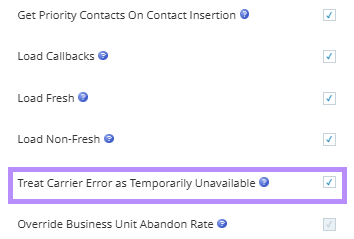
| Customer Request |
|
UI Change |
|
Availability | GA
On deploy |
Performance Management (Native)
Wallboards Phase II
Preview wallboards in real time before publishing. Previews show live, read-only data and follow the configured slide order, timing, and transitions. The improved Wallboards experience also includes a modern, consistent interface with updated slides, a new management page, and improved workflows that make creating and editing wallboards more intuitive and efficient.
This feature requires a PM Insights license to activate.
| Customer Request |
|
UI Change |
|
Availability | GA
On deploy |
New Dashboard Date Range Filters
Use new preset dashboard date range filters, such as Current Week and Current Month, to quickly view data without manually setting custom dates.
This feature requires a PM Insights license to activate.
| Customer Request |
|
UI Change |
|
Availability | GA
On deploy |
Role-based Dashboard Sharing UI Enhancements
Role-based dashboard sharing has been updated with a clean, modern UI. New dedicated columns for Roles and Permissions make managing access more efficient and intuitive.
This feature requires a PM Insights license to activate.
| Customer Request |
|
UI Change |
|
Availability | GA
On deploy |
Notepad Widget
You can now use the new Notepad widget to record action items, reminders, explanations, and other notes right next to your data, helping you capture context and make decisions faster.
This feature requires a PM Insights license to activate.
| Customer Request |
|
UI Change |
|
Availability | GA
On toggle |
Upgraded Chart UI
Charts feature minor UI improvements, with no changes to functionality.
| Customer Request |
|
UI Change |
|
Availability | GA
On deploy |
Accessibility Improvements
CXone Performance Management (Native) includes significant accessibility improvements designed to offer a smoother, more inclusive experience for users across a wide range of visual, motor, and cognitive needs.
| Customer Request |
|
UI Change |
|
Availability | GA
On deploy |
Quality Management (CXone)
Auto Score Profile Limit
A maximum of 20 Auto Score profiles per scorecard is now supported to enhance system stability and ensure consistent scoring performance. When creating or editing a scorecard, the Add Profile action is disabled once the cap is reached, along with a clear notification. You should plan your configurations within the 20-profile limit.
The Select Profile dropdown disables further selections once 20 profiles are assigned. If you have active scorecards exceeding this limit, they continue to function. However, you cannot add new profiles or duplicate these scorecards until the profile count is reduced to 20 or fewer.
This feature is available for users with the Quality Management (CXone) Advanced and Gen AI licenses.
| Customer Request |
|
UI Change |
|
Availability | GA
On toggle |
New My Zone Export Options
You can export data directly from the following My Zone pages to Excel or CSV formats.
My Zone pages with Export:
-
Evaluation Tasks
-
To do Page
-
-
Evaluator Assignment
-
Plan Monitoring
-
-
Quality Performance
-
Calibrations
-
Auto Score Dashboard
-
Coaching Sessions
When you click the Export button, you can choose your preferred format to download the records currently visible in your grid.
This feature is available for users with the Quality Management (CXone) license.
| Customer Request |
|
UI Change |
|
Availability | GA
On toggle |
Clearer Navigation for Evaluation Tasks
You now see a small but helpful change. The Tasks tab is renamed to Evaluation Tasks to make its purpose clearer and easier to understand. The page title and URL also reflect this update. No widgets are added or removed just a smoother experience when navigating to your evaluation tasks.
This feature is available for users with the Quality Management (CXone) license.
| Customer Request |
|
UI Change |
|
Availability | GA
On toggle |
Enhanced Distribution Logic for Accurate Quality Evaluations
With this update, Quality Management (CXone) interactions are only distributed if the leading agent is part of a team in the Quality Plan. Going forward, an interaction is only distributed for evaluation if the leading agent is explicitly part of a team associated with the Quality Plan. Previously, distribution could occur if any participant matched the plan.
This change ensures that both the interaction eligibility and the leading agent's team membership align with the Quality Plan requirements. As a result, agents are only evaluated under plans they belong to, improving reporting accuracy and ensuring evaluations are routed to the appropriate supervisors.
This feature is available for users with the Quality Management (CXone) license.
| Customer Request |
|
UI Change |
|
Availability | GA
On toggle |
Accessibility Compliance for Quality Management (CXone) Admin Pages
NiCE CXone Quality Management (CXone) includes significant accessibility improvements designed to offer a smoother, more inclusive experience for users across a wide range of visual, motor, and cognitive needs.
| Customer Request |
|
UI Change |
|
Availability | GA
On deploy |
Tenant Segmentation for Quality Management (CXone)
Quality Management (CXone) supports Tenant Segmentation, enabling strict data segregation across organizational divisions. Users and admins can access forms, quality plans, evaluations, and calibrations specific to their assigned division, ensuring more relevant and secure data visibility. Division level segmentation streamlines workflows by reducing clutter and aligning processes with organizational structures.
The update includes new scripts for data creation, form creation, and Quality Plan setup, requiring proper division metadata (L0, L1, L2) to ensure accurate segmentation. The system also depends on the Division license being enabled for performance tenants. To avoid disruptions, new tenant setups are recommended, and teams need to review configurations and workflows to align with the updated segmentation model.
| Customer Request |
|
UI Change |
|
Availability | GA
On toggle |
Custom Evaluation Headers in Quality Management (CXone) API
Previously, custom headers used during evaluations were not available in external API data tables, limiting your ability to perform deep-dive analysis.
In this release, the Data Extract API is updated to include custom headers from evaluations. This change allows your Reports Analysts to pull this data directly from the Data Lake into your API tables, making it easier to use these headers as filters for external analysis. You can more effectively track and organize your evaluation data in third-party reporting tools, bridging the gap between data collection and deep-dive reporting.
This feature is available for users with the Quality Management (CXone) Advanced license.
| Customer Request |
|
UI Change |
|
Availability | GA
On toggle |
Effortless Form Building with the New Elements Panel
You can now organize evaluation forms much faster using a new Elements tree panel. This tool provides a clear tree view of your entire form, allowing you to move questions instantly across different sections and add new ones exactly where you need them. It replaces the old drag-and-drop method with a more reliable, scrollable map that makes managing long forms simple. Additionally, built-in warnings protect your form logic by alerting you if you try to move a question linked to a rule, ensuring your design remains accurate and error-free.
This feature is available for users with the Quality Management (CXone) license.
| Customer Request |
|
UI Change |
|
Availability | GA
On toggle |
Enhanced CRM Ticketing Process and Evaluation Flexibility
This release delivers CRM Ticketing Enhancements to improve evaluation workflows, flexibility, and reporting accuracy. Key updates include the ability to play back audio directly from Salesforce CRM ticket when the Salesforce is integrated with Amazon Connect, making ticket reviews more efficient. The system also better handles tickets with missing or unknown agent information, ensuring they are still assigned for evaluation via the Quality Plan reducing gaps in quality monitoring. Validation rules are relaxed to support edge cases, allowing smoother assigning of tickets to evaluate even when agent metadata is missing.
Additionally, enhanced agent discovery supports first-reply, first-resolved, and assigned agents, which may impact reporting and analysis. These changes improve flexibility and coverage, though teams may need to review workflows for tickets with incomplete agent data.
This feature is available for users with the Quality Management (CXone) license.
| Customer Request |
|
UI Change |
|
Availability | GA
On toggle |
Multi‑ACD Digital Interactions Support
You can now bring external voice, screen, and digital interactions into NiCE CXone using the new Generic Injection API. This feature allows you to seamlessly import transcripts and attachments from outside sources, making them immediately available for Search and Playback. Once injected, these interactions are treated just like native data, enabling you to perform Quality Management (CXone) evaluations and run Interaction Analytics (CXone) (IA) for a complete, unified view of your customer experience across all channels.
This feature is available for users with the Quality Management (CXone) license.
| Customer Request |
|
UI Change |
|
Availability | GA
On toggle |
Engagement Hub (Multi-ACD/Open)
Store & Forward Generic Ingestion API
The new Store & Forward (S&F) Generic Ingestion API provides a standardized way for external recording and digital systems to bulk‑import closed interactions into NiCE CXone. This feature requires a Recording Advanced Store & Forward license with the Voice/Digital API option selected.
| Customer Request |
|
UI Change |
|
Availability | GA
On deploy |
Support for AWS Direct Connect
Engagement Hub (Multi-ACD/Open) supports AWS Direct Connect, enabling private, secure connectivity for CTI and media traffic.
| Customer Request |
|
UI Change |
|
Availability | GA
On deploy |
Enable or Disable Telephony Systems
You can enable or disable telephony systems directly in NiCE CXone with new systems created in a disabled state by default. This provides greater control during setup and supports smoother configuration, maintenance, and business continuity.
| Customer Request |
|
UI Change |
|
Availability | GA
On deploy |
Telephony System Name Added to Data Extract API
The CSV file generated by the Data Extract API includes the telephony system name (such as Cisco, Avaya, or Genesys) for each interaction. This helps customers in Engagement Hub (Multi-ACD/Open) environments to easily identify, analyze, and troubleshoot interactions.
| Customer Request |
|
UI Change |
|
Availability | GA
On deploy |
Recording Management (CXone)
Retrieve Media from Long-Term Storage Enhancement
Users can easily retrieve and playback media files for interactions stored in long-term storage directly from the Interactions Search grid. This new flow uses the existing Cloud Storage>Long-term File Retrieval>Create permission.
| Customer Request |
|
UI Change |
|
Availability | GA
On toggle |
Multi-Party Transcription
The transcript in the Player is enhanced to display Multi-Party transcription for up to five participants.
| Customer Request |
|
UI Change |
|
Availability | GA
On deploy |
Interactions Search UI Updates
Indication for Leading Agent, adding a columns and filters for Transcript Language and Playback Lock, has been added to the Interaction Search.
| Customer Request |
|
UI Change |
|
Availability | GA
On toggle |
Skills Enhancement in Interactions Search
Users are able to view all skills associated with an interaction, including secondary skills, directly in the Search results table. The Skills column and filter is renamed to Primary Skill and a new column and filter called Additional Skills is now available.
| Customer Request |
|
UI Change |
|
Availability | GA
On toggle |
Export Enhancements All Data Fields
Users are now able to export all interaction data to csv or excel, and not only the columns set to display, directly from Interactions Search with the new Export all fields export option.
| Customer Request |
|
UI Change |
|
Availability | GA
On toggle |
Create Topic AI Collection
Users can filter interactions in the Interaction Hub by criteria (for example: Last 90 Days or Voice) to create Topic AI collections without needing an Interaction Analytics (IA) license. You do require a Topic AI license.
| Customer Request |
|
UI Change |
|
Availability | GA
On toggle |
Increased Scalability
NiCE CXone Recording applications support up to 100,000 named agents per tenant. This scalability improvement enables large enterprises to maintain performance during peak demand and support growth without service disruption. Recording Policies introduce new usage limits for smooth functionality.
| Customer Request |
|
UI Change |
|
Availability | GA
On deploy |
Connectivity Check Tool Enhanced for Real-Time Screen Monitoring
Previously, the Connectivity Check Tool validated connectivity requirements for Screen Recording for Windows. In this release, the Connectivity Check Tool also validates connectivity requirements for Real-Time Screen Monitoring (RTSM) for Windows.
| Customer Request |
|
UI Change |
|
Availability | GA
On deploy |
Advanced ScreenAgent for Mac
In this release the Advanced ScreenAgent for Mac is available, supporting advanced capabilities previously exclusive to Windows.
This update includes support for remote management actions such as restarting ScreenAgent services and downloading its logs, display of Mac domain (serial number) information in SAM, deny lists for excluding specific applications and URLs from recording, and configurable recording settings such as frame rate and resolution to optimize performance. Log collection is enhanced through automatic cloud upload, simplifying troubleshooting and support.
You can use Advanced ScreenAgent for Mac with a basic or an advanced screen recording license. However, certain functionalities are supported only for customers with a Screen Recording Advanced license. To update your license from basic to advanced, contact your NiCE account representative.
| Customer Request |
|
UI Change |
|
Availability | GA
On deploy |
Reporting
Data Download and Custom Reports
Enhanced Security for Report Delivery: Transition from SFTP to SEA Cloud Storage
Previously, NiCE CXone Reporting supported SFTP as a file delivery option for Data Downloads and Custom Report scheduled reports. In this release, to meet updated NiCE compliance and security requirements, SFTP is deprecated via a feature toggle and is replaced with the Secure Export Agent (SEA) Cloud Storage architecture.
When the system-level feature toggle is enabled:
-
The Report Distribution wizard automatically hides all SFTP menus and enables a new Save report to SEA cloud storage option in your Schedule settings.
-
All existing SFTP-based report schedules migrate to SEA Cloud Storage automatically to ensure uninterrupted delivery.
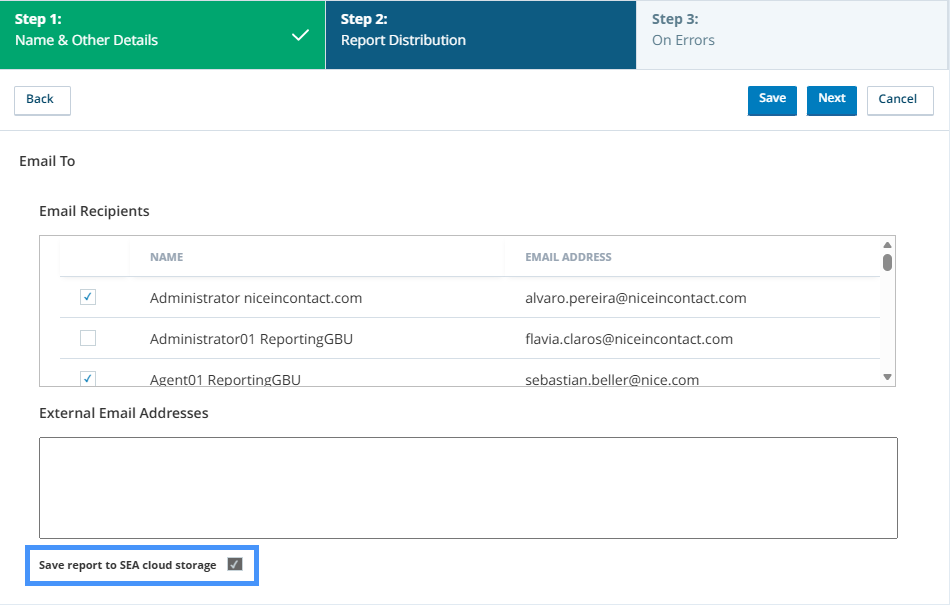
Action Required:
No manual setup is required for the migration; however, administrators should review their report schedules after the update to confirm settings and familiarize themselves with the new SEA Cloud Storage workflow.
In this release, this feature is available on toggle — Internal Admin (per cluster).
| Customer Request |
|
UI Change |
|
Availability | On toggle |
Reporting API - DX Contact State Activity
In this release, you gain full visibility into Digital Experience (DX) contact lifecycles with new activity tracking. Unlike previous versions that relied on the contact's original start date, this new API allows you to retrieve all state changes (assignments, status shifts, and so on) occurring within any 7-day window. This ensures you capture critical intraday events for digital interactions, even if they began weeks ago.
For more details, select the API filter on the top right.
Action Required:
Prepare to update your Reporting workflows to leverage the new endpoints.
| Customer Request |
|
UI Change |
|
Availability | GA
On deploy |
Studio
Expand Action Properties to View Long Strings
Previously, when an action property contained a large string, such as the Body property of the EMAIL action, you could not see the entire value. The contents of the field were truncated in the Property panel view. In this release, you can hover the cursor over the field to see a tooltip containing the entire property value. You can also click an expand button that will open a text editing window, where you can view or edit the property value.
To see this change, open a script in Studio and view the properties of its actions.
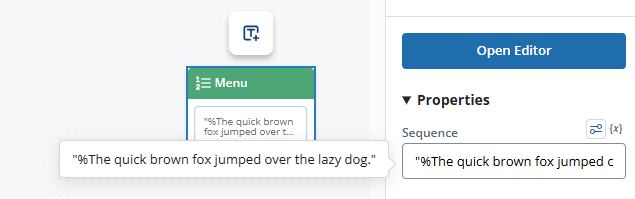
| Web or Desktop Studio |
Web only |
Customer Request |
|
UI Change |
|
Availability | GA
On toggle |
Snippet Debugger View and Copy Variable Values
Previously, the snippet debugger did not allow you to copy the value of variables. If the value was long, you could not see the entire value. In this release, you can hover your cursor to see the whole variable contents in a tooltip and copy a variable's value to the clipboard.
To see this change, open a script with a SNIPPET action, launch the snippet editor, then open and start the snippet debugger.
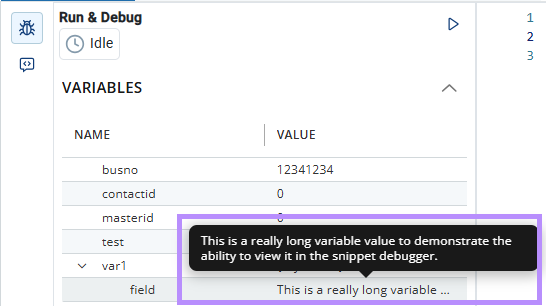
| Web or Desktop Studio |
Web only |
Customer Request |
|
UI Change |
|
Availability | GA
On deploy |
Support for Type Ahead Menus for Long Lists
Previously, for drop-downs that allow you to select from a list of named objects, such as agents, Studio loaded the entire list. These lists appeared in Studio action properties. When there were a large number of entities in the list, loading the list took a long time.
In this release, the drop-down displays the first 200 of the total number of entities. This ensures that when there are a large number of these objects, the lists load quickly and the script editing interface remains responsive. The drop-down shows you the total number of entities.
You can search these lists. The drop-down shows you the number of items that match your search and the total number it contains. For example, 200 of 1000. These numbers update as you change the search term and the matching number of items decreases. For example, if you search for John it may show that there are 450 matching agents. If you change the search term to Johnson, may update to show there are 17 matching agents.
You can see this change by opening a script with an action such as REQAGENT, then view the Target Agent field on the Property pane. This change affects any action with properties that contain large lists.
| Web or Desktop Studio |
Web only |
Customer Request |
|
UI Change |
|
Availability | GAOn toggle |
Trace Page Header for Multiple Traces
Previously, when you started multiple traces on the same script, they appeared in a single window, but to detach the trace from contact or end the contact, you needed to open each script. In this release, the options for these actions are available in the header of this window. This allows you to take those actions on scripts listed in the window without having to open each script.
| Web or Desktop Studio |
Web only |
Customer Request |
|
UI Change |
|
Availability | GA
On toggle |
Annotation Action Improvements
Previously, you could resize the text field of the ANNOTATION action on the script canvas. In this release, this has been improved. The text field has more obvious borders on the canvas and it is more obvious that you're able to resize it.
| Web or Desktop Studio |
Web only |
Customer Request |
|
UI Change |
|
Availability | GA
On toggle |
API Action Shape, Renaming, and Organization
Previously, the API actions were listed in alphabetical order by name on the API Actions palette. In this release, the actions are grouped into categories to match those on the NiCE CXone developer portal . Additionally, actions have been renamed to match the corresponding API on the developer portal. These changes make it easier to find the corresponding API documentation.
| Web or Desktop Studio |
Web only |
Customer Request |
|
UI Change |
|
Availability | GAOn toggle |
Filtering for Digital Script Trace Requests
Previously, you could filter traces using the ANI and DNIS fields. This didn't work for digital scripts, because digital interactions don't have this information, which is related to phone numbers. In this release, you ANI and DNIS have been changed to To and From. You can now filter trace requests for digital scripts. This makes it easier to isolate and analyze specific digital interactions.
This feature will be available later in the release cycle.When it's available, you can see it by going to Studio, opening a script, and starting a trace on a live contact.
| Web or Desktop Studio |
Web only |
Customer Request |
|
UI Change |
|
Availability | GAOn toggle |
ADDCFR Action No Longer Available
The ADDCFR action has been removed from Desktop Studio. If you use this action in your scripts, you will need to update them. If this action is in your scripts, an error is logged when it runs, but the script will continue to execute.
| Web or Desktop Studio |
Desktop only |
Customer Request |
|
UI Change |
|
Availability | GA
On deploy |
Supervisor Workspace (Supervisor)
Bulk Agent State Change
You can change the state of multiple agents at once from the Focused View Agent tab - either to Available or any of your configured Unavailable codes.
This helps you quickly transition large groups of agents between states in a single action, ideal for emergencies.
This feature requires the Bulk Change Agent State permission and must be enabled in Global Settings under Bulk Operations.
| Customer Request |
|
UI Change |
|
Availability | GA
On deploy |
Agent Schedule Activity Color Coding
The Agent Schedule view in Supervisor displays the custom activity colors as configured in WFM.
If no custom colors are configured, the schedule continues to show the default system colors.
This feature only applies to CXone WFM users.
| Customer Request |
|
UI Change |
|
Availability | GA
On deploy |
Skill Assignment by Teams
You can assign and unassign skills to all agents within a team in a single action from the Focused View, Skill tab. When assigning a skill, you can set a custom proficiency value (1 to 20) instead of the default value (3) to apply to all agents in the Team at once.
| Customer Request |
|
UI Change |
|
Availability | GA
On deploy |
Screen Assist Enhancements
Screen Assist, introduced in the previous release, enables you to place contextual coaching notes on an agent's screen during live screen monitoring sessions. The agent seew a blue dot where the comment has been placed.
Building on this, you can now show or hide Screen Assist notes from the agent using a new Show/Hide menu on the supervisor toolbar. This lets you temporarily remove notes from the agent's view and restore them as needed to give you more control on your assist session, making the coaching process fully reversible.
All hidden and restored notes are still be captured in the session audit report.
To use Screen Assist, you must have Recording Management (CXone) Advanced license enabled for your tenant and the Screen Recording Advanced license.
| Customer Request |
|
UI Change |
|
Availability | GA
On deploy |
Change Agent Next State for Working Agents
You can change the next state of agents who are currently handling contacts from both the Overall View and the Focused View. When you select a new state for a working agent, the system sets it as the agent's next state. The agent automatically transitions to the chosen state once they complete their current contact.
This feature uses the existing Change Agent State permission. No new permission is needed.
| Customer Request |
|
UI Change |
|
Availability | GA
On deploy |
Test Suite
Improved Visibility and Streamlined User Experience
In this release, the Test Suite receives several usability and transparency enhancements designed to make testing workflows more efficient and easier to understand. You can view additional metadata directly within the Test Suite, including the LLM profile and model used during analysis. This provides greater transparency into test execution and eliminates the need to navigate to multiple areas of the application to find key configuration details.
As part of this redesign, product documentation and screenshots will be updated to reflect the new user interface.
| Customer Request |
|
UI Change |
|
Availability | GA
On deploy |
Multi-Language Support for Test Suite
In this release, the Test Suite supports multiple user interface languages, allowing users to perform testing and evaluation activities in their preferred language. You can:
-
Navigate the Test Suite using a supported language of your choice.
-
Access testing, evaluation, and analysis capabilities through a localized user interface.
-
Provide a more consistent experience for distributed teams working across different regions and languages.
| Customer Request |
|
UI Change |
|
Availability | GA
On deploy |
Transcription
Expanded Language Support for Real-Time and Post-Call Transcription
NiCE Transcription now supports 25 additional languages across all ASR modes, including low-latency, real-time, and post-call transcription. This update allows users to select from an extended list of languages such as Mandarin, Cantonese, and Thai directly within existing workflows without requiring any new interface changes or manual enablement.
| Customer Request |
|
UI Change |
|
Availability | GA
On deploy |
Vocabulary Configuration Management
Vocabulary configurations for NiCE Transcription have moved from the Interaction Analytics (CXone) application to a new location under the Admin menu. This change places its settings alongside related features like Redaction Profiles and Analytics Policies for a more streamlined administrative experience.
To view and use this feature, you must have the Analytics Services license enabled in Tenant Manager and the appropriate permission assigned in Admin Permissions.
| Customer Request |
|
UI Change |
|
Availability | GA
On toggle |
Accessibility Improvements
The NiCE Transcription configuration includes significant accessibility improvements designed to offer a smoother, more inclusive experience for users across a wide range of visual, motor, and cognitive needs.
| Customer Request |
|
UI Change |
|
Availability | GA
On toggle |
Virtual Agent Hub
New Azure OpenAI GPT-4o Realtime Audio Connector
A new Real-Time Audio (RTA) connector is introduced for the Voicebot Stream action, which allows customers to select Azure Open AI GPT-4o as a provider. This enhancement allows faster, more natural AI conversations and automated self-service within their IVR.
| Customer Request |
|
UI Change |
|
Availability | Preview
On deploy |
SIP Integration Option Removal for Virtual Agent Hub
The unsupported SIP Integration option is removed from the Custom Exchange Endpoints and Salesforce Einstein configurations in Virtual Agent Hub. This update simplifies the setup process by ensuring only supported integration options are visible to users.
| Customer Request |
|
UI Change |
|
Availability | GA
On deploy |
Google Dialogflow CX Language Update
A None option is added to the language selection dropdown for Google Dialogflow CX bots. This allows the bot to automatically detect the customer's language during a conversation instead of requiring a pre-defined language code.
| Customer Request |
|
UI Change |
|
Availability | GA
On deploy |
Workforce Management (CXone)
Support for Custom Color Activity Codes Across Agent, Time Off, Admin, and Mobile
In version 26.3 and later, custom color codes that you assign to activity codes in Scheduling are consistently displayed across additional areas of the product. You can visually distinguish between multiple activity codes of the same type, such as Open, Busy, On Call, Out of Office, and Break, and identify them immediately without hovering over each activity.
Previously, custom colors assigned to activity codes were only supported in Scheduling. When you navigated to other pages such as My Zone, Time Off, or Admin, all activity codes of the same type appeared in the same default color. To identify a specific activity, you had to hover over it and read the name.
In this release, custom color code support is extended to the following pages:
-
Approval Rules
-
Manage Requests
-
ACD Event Mapping
-
Adherence Category
-
Break Policies
-
Time Off
-
Rules
-
Summary
-
-
My Zone
-
Schedule Request
-
My Schedule
-
-
Mobile
The updated colors are reflected in page filters, activity code values in grids, and anywhere else activity codes are displayed.
This enhancement simplifies schedule management, reduces errors, and boosts efficiency for teams handling complex schedules across Agent, Time Off, Admin, and Mobile views.
| Customer Request |
|
UI Change |
|
Availability | GA
On toggle |
Advanced Intelligent Time Series Forecaster
The forecasting engine supports a new Whole Time Series forecasting method alongside the existing Day of Week method. Whole Time Series uses continuous time series data to generate forecasts, delivering more accurate predictions by preserving data continuity. It uses a single model per predicted skill, simplifying model management and troubleshooting.
Previously, the forecasting engine splits historical data by day of the week and builds separate models for each day. This disrupted data continuity and limited the ability to capture seasonal trends.
In this release, a new Whole Time Series forecasting option is available alongside the existing Day of Week method. The engine automatically evaluates all supported models and selects the best one based on Mean Absolute Percentage Error (MAPE). You can also manually select a model. The supported models include:
-
Box-Jenkins ARIMA
-
Curve Fitting
-
Exponential Smoothing
-
Additive Triple Exponential Smoothing
-
Multiplicative Triple Exponential Smoothing
All forecasting jobs, both new and existing, default to Day of Week forecasting. To use Whole Time Series, select it as the forecasting method when creating the job. You can switch between the two methods until a forecast becomes active. Once a forecast is active, the forecasting method cannot be changed.
This enhancement improves forecast accuracy, simplifies model management, and supports additional models and forecasting methods in the future.
| Customer Request |
|
UI Change |
|
Availability | GA
On toggle |
Align Staffing Volume and AHT to Forecast Values
In Step 5 (Post-staffing), Intraday Manager, and Schedule Manager, you see staffing results that stay aligned with your original forecasted Volume and AHT. This helps you trust what you see in post-staffing and intraday views and make planning decisions with a single, consistent set of numbers.
Previously, Step 5 showed Volume and AHT based on simulated values instead of the forecast from Step 3. Due to spillover, where calls crossed into the next interval, the simulated totals deviated from the forecast, causing mismatched numbers across steps and downstream views.
In this release, two new data fields are available in Step 5 of the forecast job, fixing an issue where Volume and AHT previously reflected staffing solution values rather than the original forecast:
-
Forecast Volume and AHT: Displays the forecast volume and AHT generated in Step 3 of the forecast job. This is the true forecast demand.
-
Simulated Volume and AHT: Displays the volume and AHT generated as a by-product of the Step 5 staffing simulation, giving you visibility into the data behind your Required Agents output.
Forecast Volume and AHT now flow to downstream modules — Intraday Manager, Schedule Manager, and the Intraday Report — giving you accurate, traceable forecast data that simplifies reconciliation and improves confidence in staffing outputs.
The staffing calculator itself remains unchanged.
| Customer Request |
|
UI Change |
|
Availability | GA
On toggle |
WFM Copilot – Post-Shift Adherence Q&A (v1)
The WFM Copilot panel in Intraday Manager now supports a curated set of 13 validated questions, enabling you to analyze post-shift adherence and skill performance directly from a conversational interface, without switching between reports, exports, or spreadsheets.
Previously, WFM managers pieced together adherence insights from multiple reports, manual filtering, and data exports to identify adherence issues, repeat offenders, and coaching opportunities.
In this release, the Copilot panel supports 13 production-ready questions covering the most common post-shift analysis topics. You can ask questions such as:
-
Which agents had adherence issues last quarter?
-
Which agents had adherence below 85% on the most days last quarter?
-
Which agents had the longest single adherence deviation?
-
Which agents were out of adherence for more than 5 minutes?
-
Which actual states caused the most out-of-adherence time last quarter?
-
Which agents had the most out-of-adherence time in a specific state?
-
What were the top out-of-adherence activities for a specific agent?
-
Which skills underperformed their SLA/ASA targets by more than 5%?
Responses are generated from historical data and rendered as text, lists, or grids within the panel. All responses respect your organizational unit, team, and agent-group permissions.
This release covers post-shift and retrospective analysis only. Real-time adherence questions will be addressed in a future release.
| Customer Request |
|
UI Change |
|
Availability | GA
On toggle |
Improved Time-Off Accuracy with Updated Calculation Logic
Starting with the 26.3 release, your time-off balance is deducted based on the actual duration of the time-off activity on your published schedule. This change helps ensure that your balance accurately reflects the time you take off, especially if you work extended or non-standard shifts.
Previously, time-off deductions were capped by the FTE value defined in the Time Off Rule. For example, if an agent had a 10-hour shift but the FTE value was set to 8 hours, only 8 hours were deducted from the balance. This discrepancy allowed agents to exceed their earned time-off hours without it being reflected in the balance.
In this release, the following changes apply:
-
Hours deduction: The system deducts the exact duration of the scheduled time-off activity from your balance. The deduction is based on your published schedule and excludes non-working activities.
-
Days calculation: Day calculations continue to use the FTE value or Max Daily Rule. However, day values are no longer capped at 1. For example, a 10-hour shift with an 8-hour FTE is calculated as 1.25 days.
-
Past dates unaffected: Changes to the FTE value or Max Daily Rule apply only to future calculations. Previously calculated balances and historical records remain unchanged.
-
UI update: The Shift Length for Time Off setting is renamed to Shift Length for Time Off Calculations.
This enhancement helps ensure that your time-off balance accurately reflects the actual time off you take.
| Customer Request |
|
UI Change |
|
Availability | GA
On toggle |
View Updated Forecast Data in the Intraday Report
Adjusted forecast data from Step 3 and Step 4 now automatically reflects in the Intraday Report without requiring schedule regeneration.
Previously, forecast adjustments made in Steps 3 and 4 were propagated to Schedule Manager and Intraday Manager without regenerating schedules, but the Intraday Report continued to display the original forecast data until schedules were regenerated.
In this release, any adjustments made in Step 3 or Step 4 of the Forecast workflow automatically propagate to the Intraday Report once saved in Step 5. The supported adjustments include:
Step 3:
-
Changes to Volume and AHT
Step 4:
-
Skill Allocation
-
Shrinkage Level
-
Service Level
-
ASA
-
Maximum Occupancy
-
Deferrable Work SLA
-
Exclude Scheduling Unit
-
Real-time Simultaneous Handling
-
Deferrable Simultaneous Handling
These adjustments update the staffing requirements, forecast volume, and forecast AHT displayed in the Intraday Report.
Only future intervals from the time of the forecast update are refreshed. Historical interval data remains unchanged.
| Customer Request |
|
UI Change |
|
Availability | GA
On deploy |
NiCE CXone WFM Support for Up to 10K Tenant Size
NiCE CXone Workforce Management now supports tenants with up to 10,000 agents, enabling large-scale enterprise contact centers to operate seamlessly across all WFM components.
WFM is certified to support this scale. Updated scaling guidelines are also introduced to help you plan and optimize usage effectively.
| Customer Request |
|
UI Change |
|
Availability | GA
On toggle |
Schedule Generation Support Skill levels by Proficiencies
Skill levels are a core tool for WFM managers and supervisors to manage skill groups and work volume distribution. By assigning proficiency scores to agents across WEM skills, teams can prioritize or reserve agent capacity for specific queues, ensuring the right agents are scheduled for the right work at the right time.
Previously, proficiency scores could be assigned to an employee's WEM skills within the platform, ensuring alignment between the WFM system and the ACD platform. The ACD relied on these proficiency scores for contact distribution during simulation, but they did not influence how schedules were generated. Agents with higher proficiency scores were not preferentially scheduled over lower-scoring peers.
In this release, agent proficiency scores drive schedule generation. When agent proficiencies are enabled for WEM skills and configured under Employee Management, those scores are factored directly into schedule generation, not just simulation.
Agents with higher proficiency scores are prioritized for scheduling coverage on the corresponding skill, ensuring your highest-scoring agents are allocated first.
This enhancement improves skill-based scheduling coverage by aligning schedule outputs with the priority tiers your team has already defined, reducing manual override work.
| Customer Request |
|
UI Change |
|
Availability | GA
On toggle |
Accessibility Improvements
NiCE CXone WFM includes significant accessibility improvements designed to offer a smoother, more inclusive experience for users across a wide range of visual, motor, and cognitive needs.
These improvements include updates across multiple areas of the application. For example, the Forecasting wizard features refreshed icons, patterns, and layout to enhance clarity. These are appearance changes only—all existing functionalities remain unchanged.
| Customer Request |
|
UI Change |
|
Availability | GA
On deploy |
NiCE CXone WFM Mobile — Updated OS Version Support
The WFM Mobile app is updating its supported operating system versions. The following OS versions are supported:
-
Android: 14, 15, and 16
-
iOS: 18 and 26
Android 17 is not supported in this release.
After the update, you must close and relaunch the mobile app to apply the changes.
| Customer Request |
|
UI Change |
|
Availability | GA
On deploy |
Release Adjustments
The Release Adjustments section describes the changes, removals, and additions made in the feature descriptions since the initial coming soon announcement for the 26.3 release.
Changed Features
This section describes changes that have been made to feature descriptions since the initial coming soon announcement. Each item includes a description of the feature as it was previously published on the Coming Soon page and an explanation of what changed.
ACD
Telecom Route Override Updated
It was previously announced that the ACD skills bulk upload template would be modified to include the Telecom Route Override field. Instead, the system has been changed so that the value of this field is not overwritten by bulk upload changes.
Autopilot (Omilia) Hosted
Autopilot (Omilia) Hosted Upgrade
Autopilot (Omilia) Hosted will be upgraded to Omilia version 3.0.0.
Multi-Region Business Continuity Plan (Business Continuity Plan)
It was clarified that tenant switching is not automated through the API. Instead, the API enables customers to programmatically enable or disable Multi-Region Business Continuity Plan (Business Continuity Plan) and Disaster Recovery (BC/DR) and determine which tenant is currently active, allowing them to integrate these actions into their own tools and workflows.
Feedback Management
Accessibility Improvements
It was previously announced that the Feedback Management application would experience accessibility improvements. The improvements that will be experienced in this release are the first phase. Additional accessibility improvements are planned for future releases.
Knowledge Hub
Knowledge Hub Documentation Update
Knowledge Hub documentation remains available in the NiCE CXone Help Center. Continue using the NiCE CXone Help Center to access the latest Knowledge Hub documentation.
Recording Management (CXone)
Connectivity Check Tool Enhanced for Real-Time Screen Monitoring
It was clarified that the Connectivity Check Tool works with ScreenAgent for Windows only.
Features Removed from This Release
This section describes product changes that were included in the initial coming soon announcement and have since been removed from this release. These will not be part of the 26.3 release but may be part of a future release.
ACD
Removed Feature: Execution Logs for Real-Time Routing Rules
You will be able to access log files that provide details about the execution of real-time routing rules.
Removed Feature: Bulk Update Template for Real-Time Routing Rules Primary Skills
You will be able to manage primary agent skill assignments using a bulk update template.
Removed Feature: Real-Time Routing Rules Performance Enhancements
Real-time routing rules engine will receive enhancements to performance and scalability. The updates will ensure that the system can process up to 25,000 active rules at the same time across the entire cluster. The system stability will be improved, allowing faster rule evaluation, even during times of high interaction volumes.
Admin
Removed Feature: GLA Certificate Validation
We will soon improve security for Login Authenticator certificates by adding strict validation checks.
Removed Feature: Enhanced Usability for NiCE CXone Divisions
The Division Management page will soon have improvements to make it easier for administrators to organize and find resources.
Removed Feature: Division Support for Locations
NiCE CXone will extend Divisions to include Locations.
Agent Workspace Advanced (Enhanced Customer Card)
Removed Feature: Support for 40 Million Customer Records
The Agent Desktop and Agent Portal will soon support up to 40 million customer records within Customer Manager (Contact Manager).
Agent Workspace Premium (Desk)
Removed Feature: Support for 40 Million Customer Records
The Agent Desktop and Agent Portal will soon support up to 40 million customer records within Customer Manager (Contact Manager).
Agent Workspace for Epic Healthcare EMR
Removed Feature: CXone Agent will support integration with Epic Healthcare EMR, enabling your agents to access patient and healthcare records directly within the CXone Agent workspace.
Automated Summary (AutoSummary)
Removed Feature: Automated Summary (AutoSummary) Support for Dialer Personal Connection Calls
Automated Summary (AutoSummary) will support Dialer Personal Connection calls in a future release.
Copilot for Agents
Removed Feature: Automatic Form Pre-filling in AI Agents (Cognigy) Workflows
Automatic form prefilling for AI Agents (Cognigy)-authored forms will be available in a future release and will populate supported fields using available conversation context.
Removed Feature: AI Agents (Cognigy) for Process Automation (Task Assist) Support for Engagement Hub
AI Agents (Cognigy) for Process Automation (Task Assist) will be available in Engagement Hub environments without requiring Studio in a future release.
Removed Feature: Concurrent Workflow Execution in AI Agents (Cognigy) for Process Automation (Task Assist)
Concurrent workflow execution for AI Agents (Cognigy) for Process Automation (Task Assist) will be available in a future release, allowing agents to work across multiple workflows simultaneously.
Removed Feature: Agent Filters for Knowledge Hub Metadata Attributes
Agent Filters will support all Knowledge Hub metadata attributes, allowing more precise knowledge filtering, in a future release.
Removed Feature: Partial Digital Handover to AI Agent
Partial digital handover to AI Agents will be available in a future release, allowing AI Agents to handle routine tasks during digital interactions.
Removed Feature: Copilot Simulator in AI Studio
Copilot Simulator in AI Studio will provide a built-in environment to test Copilot configurations before deployment in a future release.
Removed Feature: Agent-Level Profile Assignments within Skills
Copilot profiles will support agent-level assignments within skills, providing more granular profile management in a future release.
Removed Feature: Real-Time Transcript View for Engagement Hub
Copilot for Agents will support a real-time transcript view for Engagement Hub voice interactions in a future release.
Removed Feature: Interaction Lifecycle Event Triggers in Rules
Rules will support interaction lifecycle event triggers to automate actions based on key interaction events in a future release.
Removed Feature: Bulk Import for Decision Trees
Decision Trees will support bulk importing sections and fields from a CSV file to simplify the creation of large or complex decision trees in a future release.
Dashboard
Removed Feature: Dashboard Global Filters
You will be able to apply Global Filters at the dashboard level to update all compatible widgets at once.
Removed Feature: Report Builder for Custom Reporting
Analysts will be able to create and modify report templates, configure settings and filters, organize templates into categories, share with their team, export to Excel, PDF, or CSV, subscribe to scheduled delivery, and track all changes using Audit History.
Removed Feature: New Voice Transfer Metrics
Two new standardized Voice transfer metrics will be available across voice channels:
-
Transfers
-
% Transfer
GenAI Prompts
Removed Feature: AI Assist Prompt Refinement
AI Assist will support refining prompts using imported transcripts and desired output examples in a future release.
Removed Feature: Bring Your Own LLM Model
GenAI Prompts will support Bring Your Own Model (BYO Model), allowing you to use your own language models with prompt profiles in a future release.
Multi-Region Business Continuity Plan (Business Continuity Plan)
Removed Feature: Studio Dictionaries
In this release, you can use Studio dictionaries to map references to entities in each tenant.
Outbound Engagement (SmartReach)
Removed Feature: Textel SMS Channel Support
You will be able to use NiCE CXone digital SMS channels that use Textel as a messaging provider with Outbound Engagement (SmartReach) for outbound SMS campaigns.
Removed Feature: Increased Contact List Capacity
To support larger scale deployments and growing customer data needs, Customer (Contact) Manager will support contact lists that can be configured for up to 40 million records.
Quality Management (CXone)
Removed Feature: Dynamic Team Search in Evaluation View
Managing large numbers of teams will become more efficient with a new dynamic search in the Evaluation view.
Removed Feature: Auto Scoring: Now with Total Transparency
The Auto Score Ad Hoc Feedback feature gives supervisors and administrators a direct voice in the Auto Score process.
Studio
Removed Feature: Script Development Lifecycle Subfolders No Longer Required
You will have more flexibility in how you organize your scripts within script development workflows.
Removed Feature: Duplicate Option Renamed to Save As
In this release, the Duplicate option will be renamed to Save As. This will reduce confusion and align with the name of the same option in Desktop Studio. Additionally, the option will move to be near Save button.
voice access
Removed Feature: WebRTC Media Redirect for VDI
Agents using Virtual Desktop Infrastructure will experience improved audio quality and reduced latency with media routing that bypasses the VDI tier.
Voice Biometrics Hub
Removed Feature: Voice Biometrics Hub Available in UK sovereign cloud configurations
Voice Biometrics Hub will be available in the UK sovereign cloud configurations.
Removed Feature: Voice Biometrics Option Reflects NiCE CXone Name
The option in Voice Biometrics Hub for selecting Voice Biometrics when adding a new voice biometric profile will be updated.
Features Added to This Release
This section notes product changes that have been added to this release since the initial coming soon announcement. To see the following features in detail, select the product in the filter on the right.
Admin
Impersonation Enhancements
API Updates
API
Admin API Updates
Digital Experience (DX)
Explicit OAuth Authentication Mode
Feedback Management
Skip and Opt-Out History Page Enhancements
Recording Management (CXone)
Advanced ScreenAgent for Mac
Trending widget added
Unified Agent Workspace for ServiceNow
Support for Multiple ServiceNow Instances in a Single CXone Business Unit
Multi-Instance ServiceNow Integration for NiCE Voice
Support Multiple ServiceNow Instances for Digital Channels in Unified Agent Workspace
Outbound Skill Selector for ServiceNow OpenFrame
Support for NiCE Outcomes and Dispositions in ServiceNow Digital Chat
NiCE Address Book and Directory Search in ServiceNow OpenFrame
NiCE CXone Digital Interaction Routing for ServiceNow (WhatsApp Integration)
Roles & Permissions: RBAC Updates for ServiceNow Mapping WebApp
Dynamic Consult Re-Enablement in Multi-Party Conferences